
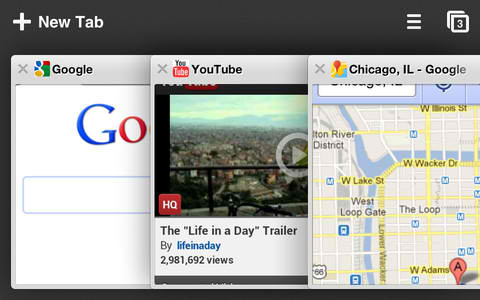
Will iOS users dump Safari for Chrome?
That's really my question for iPad and iPhone users. Today Google released Chrome for iOS. Will you dump Safari for Chrome? I would. But can't. I boycotted Apple earlier this month because of its patent bullying, which later succeeded in blocking Samsung Galaxy Tab 10.1 imports. What madness!
In May, I claimed that I would use iPad if Chrome was available. Well, the browser is here and I won't, mainly because of the boycott. But also because I'm mad. To receive holy admittance into the Apple App Store shrine, Google sacrificed a lamb and prostrated before the great iOS idol. Chrome and Safari may both be based on WebKit, but Google's browser actually uses a different rendering engine. Well, not on iOS.
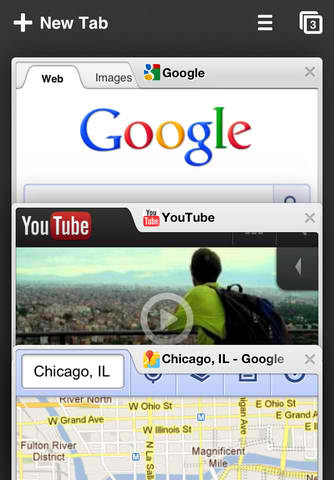
Google polishes iOS, adds Chrome trim
In its second day keynote at the I/O 2012 developer confab, Google announced it has brought the Chrome browser to Apple's iOS.
Macquarie analyst Ben Schacter recently released a report that stated that Apple may already be reviewing the app, estimating that it should be released second quarter of this year. However, due to the restrictions in Apple's developer terms of service, it's not going to be the full Chrome experience.

Google I/O Liveblog Day 2 -- how could it possibly be better than this?
I've covered lots of events over the years, but few as exciting as Google I/O 2012. Seriously, the cloud computing giant innovates in ways that, well, people attribute to Apple. There's a very aspirational quality about presentations so far, right down to the hard-knuckle coding sessions. You can feel a real sense of empowerment in the air -- that somehow these developers, and the customers they create products for, will have better lives for participating in this ecosystem.
Like yesterday, I will liveblog the keynote, which begins at 10 am PDT (1 pm Eastern Time) and post in reverse chronological order, meaning the newest stuff will be one top. But it's hard to imagine how Google could out-do yesterday's stunning presentation. Still, there is much ground to cover -- Chrome, Chrome OS, Google TV and the rumored Amazon Web Services-like platform, to name a few. There are still two days of sessions yet. Check back and refesh often.
Autodesk cloud goes pretty much anywhere, even Chromebook
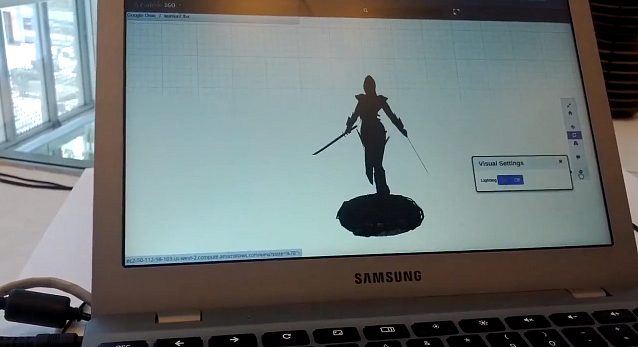
Perhaps my biggest surprise walking around Google I/O 2012: Autodesk, and a Chromebook! Cough, cough, gag, gag. What the hell is this? Why would Autodesk demo its big-iron 3D design products on the Samsung Series 5 550. This is not MacBook Pro with Retina Display.
As Randy Young explains it's all about the cloud and extending Autodesk customers' capabilities in the cloud. Let's say you're a builder. You've got AutoCAD and your client doesn't. They can view the design in Chrome. Sure enough, there's an AutoCAD WS plug-in available in the Chrome Webstore. Yes, apps for Android and iOS are available, too. But the developer is here promoting Autodesk 360 cloud service. The concept: Store and share design files in the cloud. If your customer is crazy enough to buy Chromebook. No problem.

These developers love Android -- Chrome OS not as much
This morning, before Google I/O 2012 keynote kicked off, I spoke with three developers from Ice Development Solutions, all from Phoenix, Arizona. They expressed excitement about Android and imminent Nexus 7 tablet announcement.
They feel real good about Chrome, too, but not as much about Chromebook. Some of their work involves games, and they say the hardware Chrome OS currently runs on isn't good enough. Get this: Their games run better on Ubuntu on the same hardware. Damn, good thing I don't game on the Samsung Series 5 550 Chromebook.

Liveblog from Google I/O -- it's insanity
I'm here in San Francisco, undeterred by cancelled and delayed flights, and it's madness. At 7 am PDT, when the doors were supposed to open, the line wrapped around and down the block and around the next one. Man, you should have come. I/O closes an exciting month of developer events -- Apple's WWDC, Microsoft's TechEd, Windows Phone and surprise Surface announcement. But the last word goes to Google, which is expected today to debut the Nexus tablet, expand cloud services and delight with lots more. I'm too rushed to go through them all.
The keynote commences at 9:30 am PDT -- that's 12:30 pm Eastern Time, and all updates here will be in chronological order reversed -- meaning newest first. You'll want to refresh often.
Chrome 20 released -- get it now!
Google has released Chrome 20 to the Stable Channel for Windows, Linux, the Mac and Chrome Frame. And while it’s a less-than-exciting maintenance build with no major visible changes, there are more than enough patches included to justify updating.
The official Chrome Releases blog details its usual top 20 security fixes, for instance. SVG and PDF-related code in particular sees some useful updates this time, although there are other important tweaks as well, including one to “prevent sandboxed processes interfering with each other” (the fact that this was possible before is a significant issue).
Firefox for Android gets a new UI, Flash support
Mozilla on Tuesday announced the latest update (v.14.0) to Firefox for Android is now available in Google Play for devices running Android 2.2 and up. The famous browser, now in its second year on Android, has received a significant feature upgrade this time around, and includes an all new UI and start screen, a sped up experience, and support for Adobe Flash.
Even though Mozilla's mobile Firefox has been in development for more than four years, it is still something of a baby in the Android world. Firefox 4 for Android turned out to be kind of a resource hog, kind of slow, and not entirely stable. The beta of Firefox 5 improved on some of the shortcomings of its predecessor, but clearly needed some work.

26 software downloads you shouldn't miss this week
As we reach the end of June, commercial developers are busy preparing software for a Q3 launch, so we’ll be entering a lean period for key, new releases. This doesn’t mean it was a quiet week; far from it. TechSmith released Camtasia 8.0 for Windows and 2.2 for Mac. This powerful screen-recording tool will enable you to produce professional-level presentations for just about any audience.
If you’re seeking an image editor to complement your screen recording toolkit, look no further than the free GIMPshop 2.8. This is effectively the popular GIMP, wrapped up in a different and user-friendly interface. The various K-Lite Codec Packs are a collection of codecs you can use to play video and audio content on your PC. Although it’s becoming more of a challenge to find videos that won’t play on your PC, there are still plenty encoded using a compression format that was more popular in the early part of the previous decade. Download K-Lite Codec Pack 8.92 Basic, the Standard pack, Full or Mega, which also contains a number of conversion tools.

Local Website Archive easily saves the pages you need most
When carrying out research online you may often find important pages that you’d like to save, and of course you might do this by simply clicking File > Save from your browser. The results can be a little messy, though, with files and folders scattered everywhere, and reviewing the pages later might be difficult.
Local Website Archive tries to help by storing the pages for you. There’s no need to worry about file names or folders -- the program can handle all of that -- and when you’re done you’ll have a neatly presented archive of pages, which is far easier to browse and search.

Windows users, get a Firefox Australis sneak peak
It’s been public knowledge for a while now that Mozilla intends to provide a uniform interface for Firefox across all platforms. The aim of the Australis project is to ensure that the browser looks and feels the same just about everywhere (as much as possible, anyway), and you can read more at MozillaWiki.
This is no longer just theory, though. Jared Wein, a Software Engineer at Mozilla, has written a blog post with an image of the new Australis design (or the new curvy tab shape, anyway), which he says aims to bring “more customizability in a cleaner and fresher user interface”. And if that’s not enough, he’s also created a test Firefox 16.01 build so that you can view it for yourself.
Using Internet Explorer is more taxing than you think
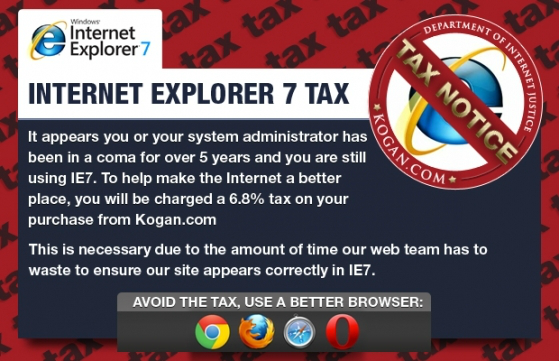
Australian-based online electronics store Kogan has fired off an ingenius web site press stunt. The retailer adds 6.8 percent extra -- the "Internet Explorer 7 Tax" -- to online purchases made using the browser. Note this is only for customers who use IE 7 browser, not version 8 or later.
In a day and age when web standards compliance is king, Kogan comes out swinging. The company states that taking the extra time to develop for IE7 hurts the bottom line -- not just for its operations but for customers. Kogan wants customers to use modern browsers that support web standards. Many older browsers don't support new standards and technology.

KeyScrambler Personal protects Firefox and Internet Explorer from keyloggers
The best way to protect yourself from malware is of course to prevent it ever reaching your PC, but if something does slip through your defences then this doesn’t have to be the end.
KeyScrambler Personal, for instance, will encrypt any keystrokes within Internet Explorer and Firefox. And as a result it’ll keep your logon and other details safe, even if a keylogger breaches your system.

Rev up this week's 20 exciting software downloads
There are a number of worthy highlights this week, including the long awaited Opera 12 release, iTunes support for iOS 6 devices and a relatively major update to Skype for Windows and Mac.
The major release this week must be Opera 12. After months of beta-testing, the browser is finally available, along with an interesting twist, in the form of the first native 64-bit build. Whether a 64-bit version of a web browser makes a huge difference is another matter entirely. Opera 12 ships with numerous speed improvements, including basic support for hardware acceleration. It’s not all good news though as gone are the widgets and other features such as Opera Voice. Download Opera 12, Opera 12 (64-bit) and the separate Opera Portable 12, which you can take on the road.
Opera 12 is available -- get it now!
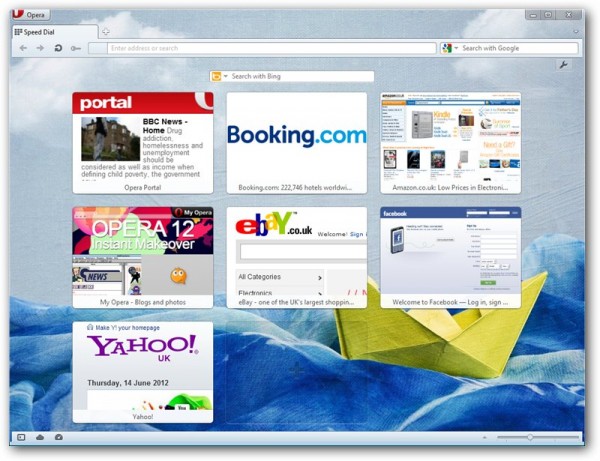
Norwegian browser developer Opera Software ASA has released Opera 12 32-bit and Opera 12 64-bit for Windows, Mac and Linux.
Version 12 of the cult web browser, which is a major player in Eastern European markets, but enjoys more cult status worldwide with around 4 percent market share, introduces several major new features, including theme support and the ability to directly access the user’s web camera from the browser.



