
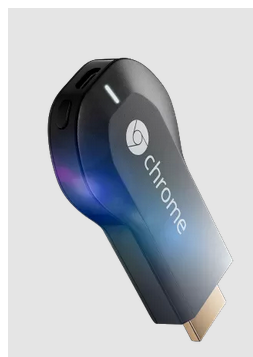
Google Chromecast already hacked
When I spent $35 on the new Chromecast, I expected that it would eventually be hacked. Truth be told, the possibility of tinkering with the device was a big factor in my purchase. However, I never expected it to be exploited so quickly. Today, GTVHacker announces that they have successfully hacked and rooted the media device.
According to the exploit authors, "...Google was kind enough to GPL the bootloader source code for the device. So we can identify the exact flaw that allows us to boot the unsigned kernel. By holding down the single button, while powering the device, the Chromecast boots into USB boot mode. USB boot mode looks for a signed image at 0×1000 on the USB drive. When found, the image is passed to the internal crypto hardware to be verified, but after this process the return code is never checked! Therefore, we can execute any code at will".

Opera Next 16 hints at new features
Norwegian browser developer Opera Software has confirmed the switch of its browser development to a rapid release cycle with the launch of Opera Next 16. The new version number comes less than a month after Opera 15 FINAL was released, which saw Opera switch from its own proprietary Presto web engine to the Blink engine used by Google Chrome.
As with all rapid release cycle updates, there are no major overhauls to be found in Opera Next 16, although a number of interesting new features have been showcased as the next iteration starts its journey towards final release.

Microsoft's modern.IE scanning tool goes open source
Microsoft rolled out Internet Explorer 11 Preview for Windows 7 and Windows Server 2008 R2 yesterday, and also updated modern.IE -- a set of tools and resources designed to make developing for the browser just a little bit easier.
The software giant additionally announced that the modern.IE scanner, which analyzes the HTML, CSS, and JavaScript of a site or application looking for common coding issues, is now open source (under Apache 2.0 license) and available to download from GitHub.

Internet Explorer 11 Developer Preview now available for Windows 7
Almost a month after launching Internet Explorer as a key part of the Windows 8.1 preview, Microsoft has today launched a stand-alone Internet Explorer 11 Developer Preview for Windows 7.
The new release places a major focus on performance. JPEG decoding, text rendering and WebGL support will make the most of GPU acceleration; HTML 5 prefetching and pre-rendering helps to get pages ready before you even click the link; and optimizations to Chakra, IE’s JavaScript engine, mean it’s even faster than before.

Mozilla: Browsers could share your interests with websites
Your web browser records everything you do on the web. It knows where you go, it knows where you’ve been, what your favorite websites are, and it likely even knows your passwords. But fortunately it doesn’t share that information with the world. At least not yet.
Mozilla, the non-profit behind Firefox, is proposing to change that. The organization wants your browser to be able to tell websites the sort of things you’re into, allowing those sites to serve up personalized content tailored just for you.
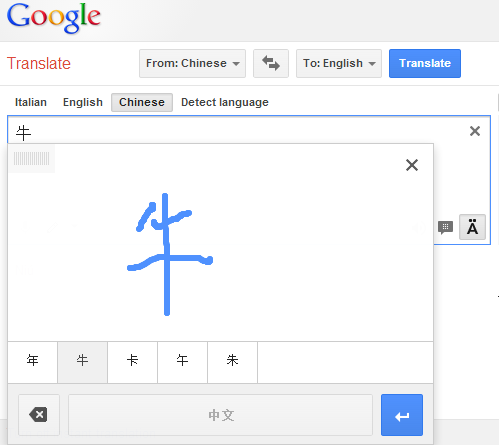
Google Translate adds handwriting support and tries to make sense of your scrawl
Why type it when you can write it? Google Translate users can now scribble symbols using a new handwriting input tool. While this is unlikely to be a faster option for translating a lot of languages, it does prove useful for inputting certain foreign characters. Want to find out what that Russian or Chinese phrase means? Don’t bother trying to work out how to input these characters via your keyboard, just draw them.
This is an option that has been available to users of the Google Translate Android app for a little while, but it's now also available to desktop users. Things are a great deal easier if you have access to a graphics tablet, but the onscreen handwriting input panel can also be used in conjunction with a mouse.
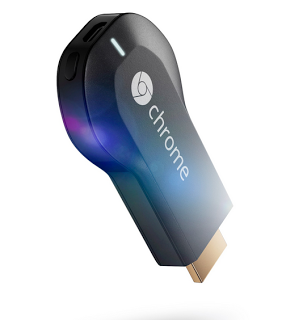
Google aims for TV everywhere, Netflix rides along
Google is dreaming big, but those fantasies are no larger than ones held by cord-cutters everywhere. We wish for TV without the cable or satellite and services like Hulu, Netflix, Amazon Prime and others aim to deliver the experience. Now Google tosses its own hat into the ring.
"Today, with the launch of Chromecast and the new Nexus 7 tablet, it’s even more effortless to enjoy content you care about—whether it’s video, music, movies, games—wherever you are, across your devices".

Internet Explorer has the worst phishing catch rate of all major browsers
A new report by security research firm NSS Labs looks at the comparative performance of popular browsers when it comes to blocking phishing attacks. Over a 12-day test period the average phishing catch rate ranged from 96 percent for Firefox 19 to only 83 percent for Internet Explorer 10.
Of the other big three, Chrome 25 scored 92 percent, Safari 5 managed 95 percent, and Opera 12 scored 89 percent. Chrome, Firefox and Safari all make use of Google's Safe Browsing API so it's unsurprising that they scored within a few points of each other. Microsoft uses its own SmartScreen technology in IE, whereas Opera uses a combination of blacklists from Netcraft, PhishTank and TRUSTe.
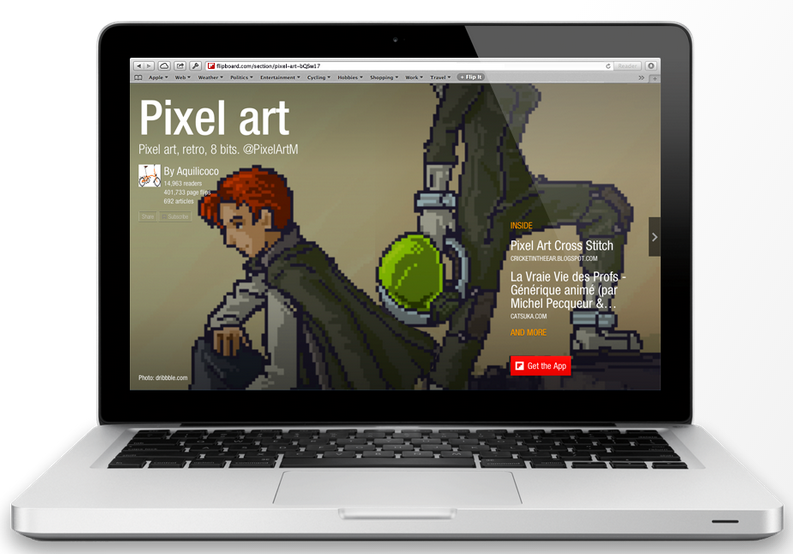
Flipboard magazines flip to web browsers
If you are unfamiliar with Flipboard, it is a service which aggregates your favorite online news sources and social media accounts. It then displays the data in a magazine-like layout, including page-turning animations. In addition to personal use, Flipboard also allows users to create "magazines" which can be shared publicly with the world. These are an aggregate of various sources on a specific topic (skiing, cats, technology, and more). Unfortunately, people with whom you shared your magazines were required to have a Flipboard account and access the mobile app -- until today.
Flipboard announces that magazines can now be shared with anyone using a modern browser (an account is not required). "The Web magazines are supported in desktop browsers IE9+, Safari, Chrome and Firefox in 11 languages, including English, Japanese, Chinese, French and German", according to the company. Is this worth flipping out over?
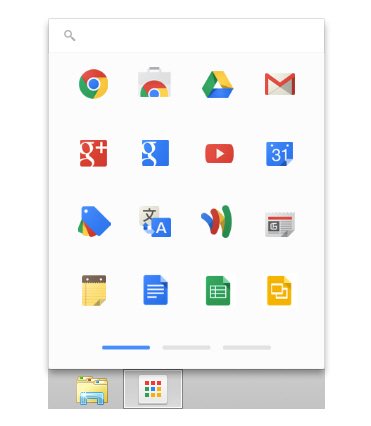
Google releases Chrome App Launcher for Microsoft Windows 7 and 8
I am a big fan of Google’s Chrome OS. However, even though I use my Chromebook all the time, I am the first to admit that it is really just a glorified web browser. Truth be told, the operating system’s web apps are nothing more than links to web pages. However, packaged apps which resemble native apps (such as the great IRC client CIRC) are slowly increasing in quantity and quality.
Today, Google officially releases Chrome App Launcher for Windows. The launcher was previously available for the beta and dev versions of Google Chrome but it is now available for the stable build too. The launcher mirrors the one found in Chrome OS. In installing it, Windows users gain some of the same functionality as Google’s browser-based OS.
Google Chrome for iOS offers app interoperability, full-screen support on iPad
Hot on the heels of its Google Maps for iOS update, Google has unveiled Google Chrome for iOS 28, its alternative web browser for iPad, iPhone and iPod touch users. The new build contains a number of notable new features, plus rolls out full-screen support for iPad users, something that has been available to iPhone users for quite some time.
The first major new feature is better interoperability with other Google apps. By tapping Settings > Google Apps in Chrome itself, users can instruct the browser to pipe relevant links through to other installed Google apps such as YouTube, Google Drive and Google Maps rather than using the browser itself.

Run Chrome extensions in Opera
The rebooting of Opera 15.0 saw the niche browser switch to a new rendering engine, adopting Chrome’s Blink in favor of its own proprietary Presto engine. In restarting the browser from scratch, Opera has opted not to include a lot of popular functionality from previous versions -- some of this is temporary, while others (specifically bookmarks) could be permanently lost.
One way of restoring some functionality is through extensions, small programs written in HTML, CSS or JavaScript. Opera has its own Extensions store, but the great news for early adopters of Opera 15 is that -- with the aptly titled Chrome Extension for Opera 2.0 installed -- you can use Google Chrome Extensions too.
Chrome 28 adds richer notifications, implements new Blink rendering engine
Google has released Google Chrome 28 for Windows, Mac and Linux. The latest version of its open-source, cross-platform web browser sees Google implement the latest revision of its web rendering engine -- Blink -- and also give apps and extensions a better platform for interacting with users outside of the main browser window.
As part of the switch to a "richer" notification system, Chrome introduces a new Notification Center, which works independently of the browser via the taskbar or menubar. Already present in Chrome OS, the center currently only appears on Windows builds with this stable release, but will be extended to Mac and Linux shortly.
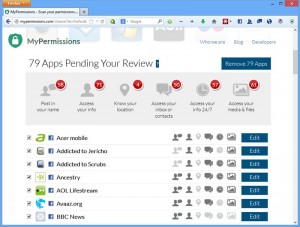
Vet social networking app privacy settings with MyPermissions Cleaner
With privacy higher than ever on the news agenda, it is not surprising people are starting to wake up to the fact they have happily allowed all kinds of personal information about themselves to appear online. It might be too late to stem the tide, but if you are thinking about reviewing your personal privacy, one place to start might be with the apps added to various social networks.
If this idea appeals, then desktop users should install one of MyPermissions Cleaner for Chrome, Firefox, Internet Explorer and Safari, while iPhone and Android users can go with Online Privacy Shield -- once done, you are ready to start taking action to tighten privacy settings.
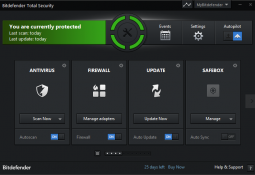
Bitdefender Total Security 2014 review
When you buy a program with “Total” in the name then you probably expect a very complete feature list, and Bitdefender Total Security 2014 certainly does not disappoint in this regard: the suite offers antivirus, firewall, anti-spam, browsing and social networking protection, privacy tools, parental controls, online storage, anti-theft service, PC tuneup module and more.
And although some people prefer to ignore the frills and assess security packages on their core essentials, Bitdefender does just as well here. An AV-TEST report on Bitdefender Internet Security 2013, for instance, shows it detecting 100% of the test malware samples -- this program is strong on the basics, too.



