

Microsoft cripples Windows Media Player on Windows 7 -- a seemingly dirty tactic to increase Windows 10 upgrades
Windows 7 is still a great operating system -- one that millions of people use every day. Understandably, Microsoft cannot support the OS forever, so it will stop doing so in less than a year. While I would urge many Windows 7 users to switch to a Linux-based operating system, Microsoft would rather these folks upgrade to Windows 10 instead. The problem? Many Windows 7 users purposely avoided the newest version of Windows due to overall bugginess and a perception of spying due to aggressive telemetry. Embarrassingly, Windows 10 -- initially released in 2015 as a free upgrade -- only recently overtook Windows 7 in marketshare. Yikes!
The right thing to do at this point, is to allow Windows 7 to function as it has until support runs out, right? I mean, why add stress to the lives of existing Windows 7 users? Sadly, Microsoft has a different idea. You see, the company has decided to purposely cripple both Windows Media Player and Windows Media Center on Windows 7, and Windows Media Center on 8.x. Microsoft will stop supplying metadata for media through these much-used programs. As you can guess, Windows Media Player on Windows 10 will continue to offer this capability. Hmm, I wonder why that is...
Microsoft releases Windows 10 19H1 Build 18323 with Light Theme improvements
This week’s new Windows 10 19H1 build was slightly delayed due to an outage in Microsoft’s build publishing system which meant it took a few hours to begin rolling out to Insiders on the Fast ring.
Build 18323 includes improved RAW image format support and a better Light Theme, as well as a large number of fixes.
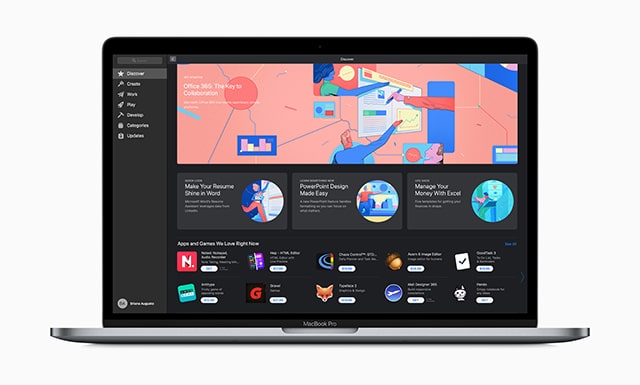
Microsoft Office 365 arrives in the Mac App Store for the first time
Although there are lots of office suites to choose from, including plenty of free offerings, Microsoft Office remains the most popular choice.
For Mac users, previously the only way to get Microsoft Office was by going to Microsoft's website and downloading it from there. Now though, Word, Outlook, Excel, PowerPoint, OneNote and the whole suite of Microsoft’s popular apps are available to download directly from the Mac App Store.
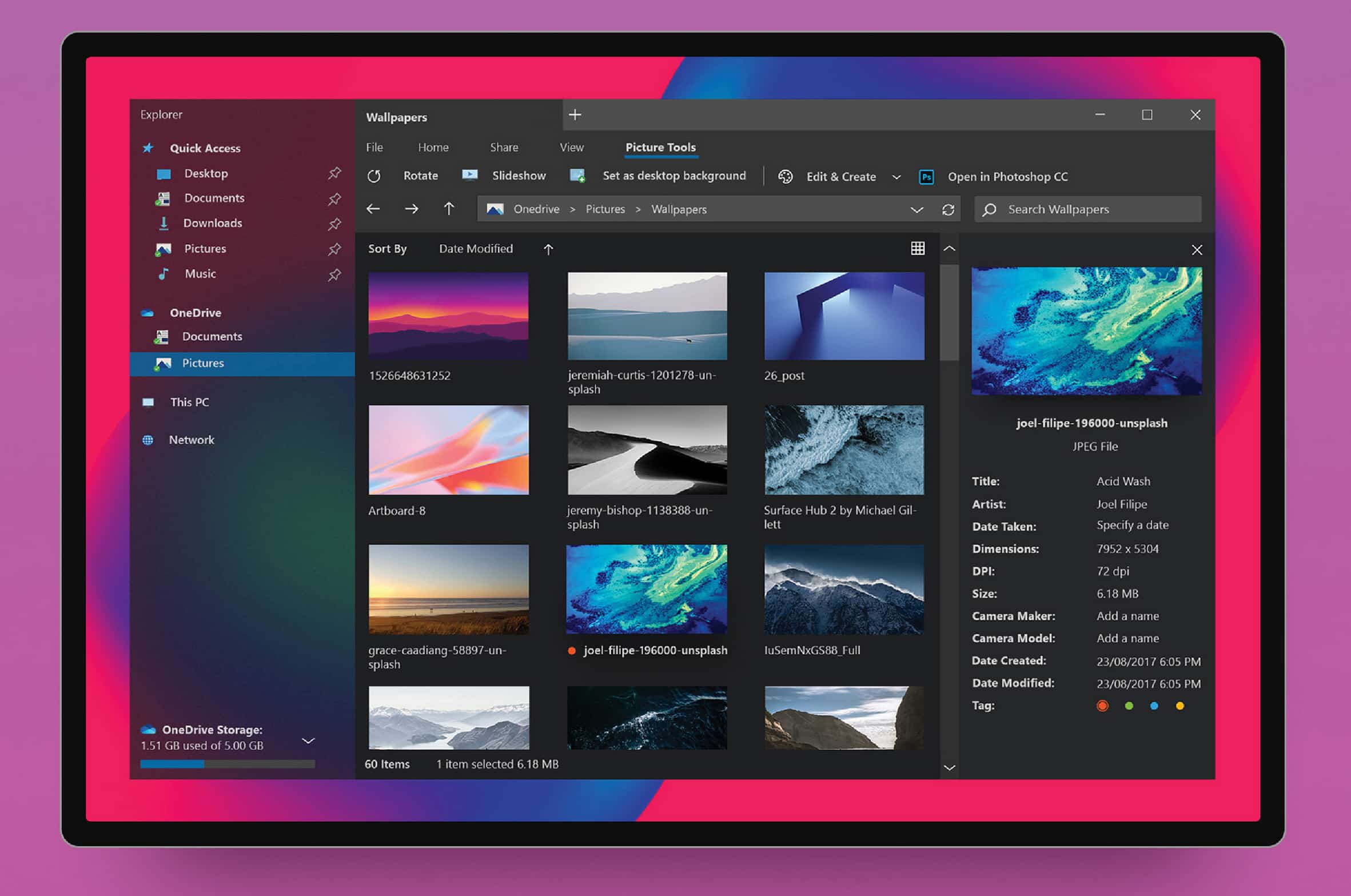
This is the redesigned File Explorer that Windows 10 should have
Windows 10 is a decent operating system, but it’s not exactly attractive. Microsoft is attempting to spice things up a little with its Fluent Design language, but it’s never going to deliver the "Wow" factor.
File Explorer is one of the blander elements of Windows 10, but a brand new concept shows us what it could look like.

Even Microsoft Edge thinks the Daily Mail website is an untrustworthy source of news
Users of Microsoft Edge have a new feature to help protect them from fake news. The Android and iOS versions of the Edge browser now offer NewsGuard integration, warning when people visit untrustworthy sites.
The feature may only just have gone live, but there are already some amusing -- or pleasing, depending on your point of view -- results coming from it. Perhaps the most notable is that the Daily Mail website, Mail Online, is flagged up as "generally fails to maintain basic standards of accuracy and accountability".
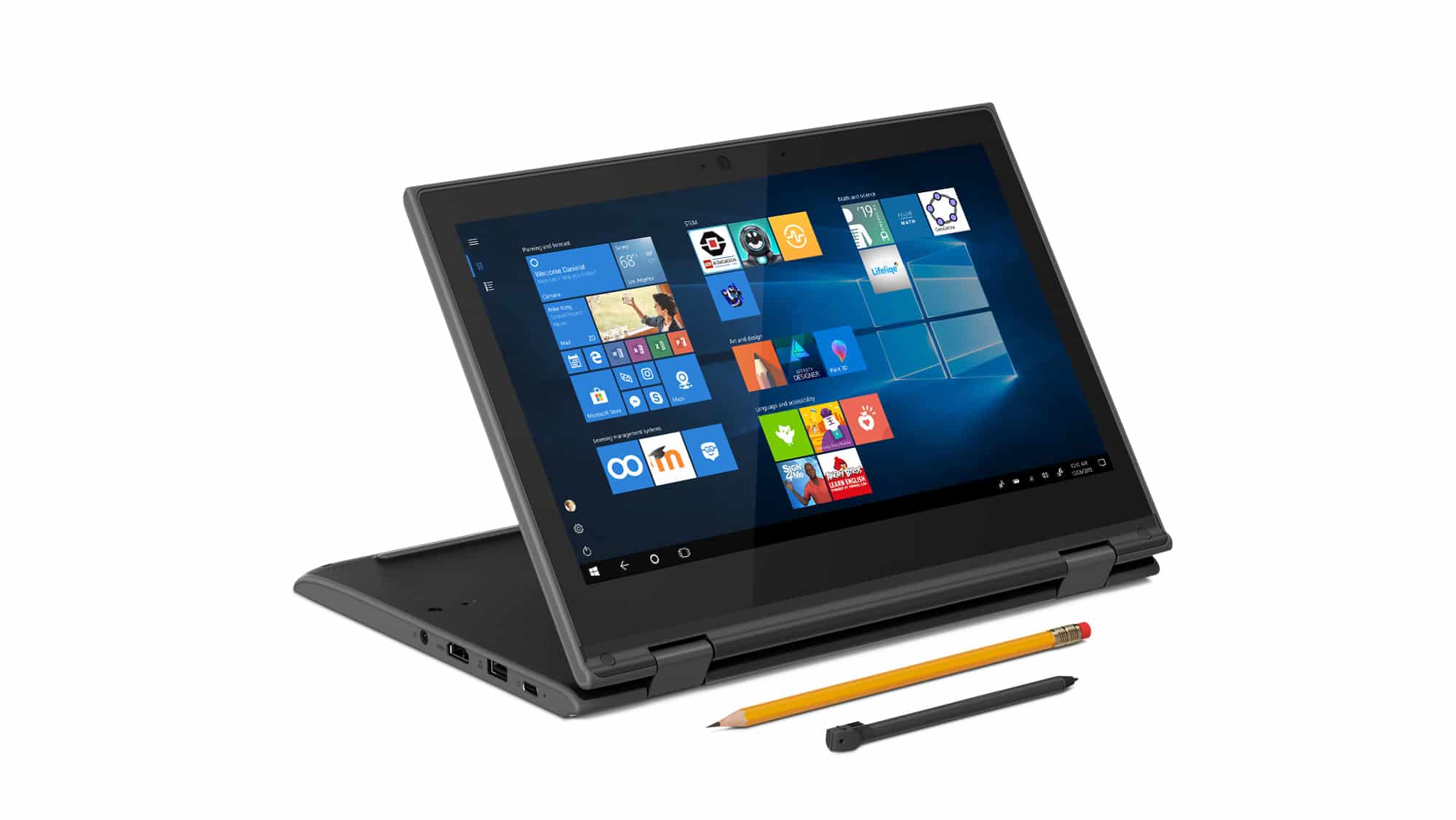
Microsoft announces seven new low-cost Windows 10 devices for education, and a new Classroom Pen
Chromebooks have found a welcoming home in the education section, muscling in on what has traditionally been Windows territory. Naturally, Microsoft is fighting back, and at this year’s annual BETT conference in London, it announced that 1 million Windows 10 devices are being used by students in K-12 and higher education every month.
The software giant also took the opportunity to introduce a raft of new Windows 10 devices aimed at students, including two brand new 2-in1 devices from Acer and Lenovo that are priced from under $300.
Microsoft concedes that Cortana can't -- and won't -- compete with Alexa and Google Assistant
Microsoft has seemingly admitted defeat in the digital assistant wars, with CEO Satya Nadella saying he does not want to compete with Amazon's Alexa or Google Assistant.
Rather than planning a Cortana-powered smart speaker or other device, Nadella has demoted Cortana, signaling that Microsoft wants to focus on bringing it to other platforms as a "skill". He believes users should be able to use Alexa or Google Assistant to call on the capabilities of Cortana through close integration.

Windows 10 October 2018 Update finally starts its phased rollout -- here's how to block it
The Windows 10 October 2018 update, aka Windows 10 version 1809, aka the botched update that deleted user files, caused default app issues, broke Apple iCloud, Edge, and Windows Store apps, and introduced a bunch of other problems, is finally rolling out to all -- well most -- users.
The update was first released at the start of last October, but then pulled a few days later when the scale of its problems become noticed. It was re-released in November, with a bunch of new problems. Microsoft has been working to fix these, and last month made 1809 available to 'advanced users' -- that is users who know how to manually check for updates.
Microsoft releases Windows 10 19H1 Build 18317, splits up Search and Cortana
New Windows 10 19H1 builds are coming thick and fast at the moment. With some builds the focus is just on fixing problems and making general improvements, but Insider Preview Build 18317 for Windows Insiders on the Fast ring is notable mainly because Search and Cortana are no longer linked.
Yes, that’s right -- instead of being part of the search bar, Cortana’s button now sits to the right of it.
Windows leak site BuildFeed closes down
After five years of leaking information about unreleased builds of Windows, BuildFeed has shut up shop.
Over the weekend, the site posted a slew of build numbers including references to onecore and shell_devices_foldable. But there will be no more leaks coming from the BuildFeed. Citing "extensive internal pressures and external pressures", site founder Thomas Hounsell says that he has terminated his project with immediate effect.
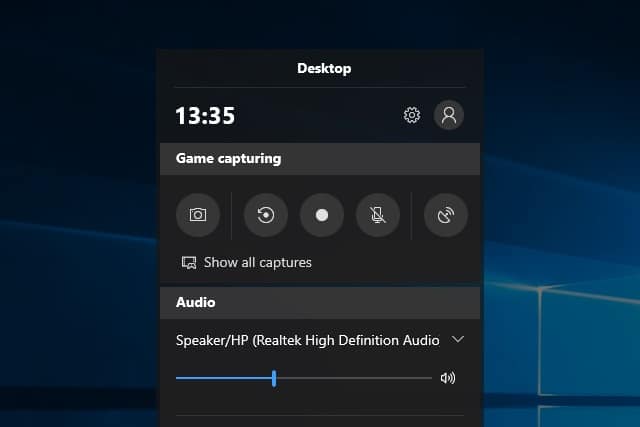
Windows 10 has a built-in free screen recorder that you might not know about
You've very probably been using Windows 10 for a long time now, but that doesn't mean that you've discovered everything it has to offer. The operating system is packed with features, but there are some that are hidden away to the extent that they could be considered secrets.
One such gem is the screen recording tool. What? You didn't know that Windows 10 could record videos of on-screen activity? You're not alone. The screen recorder is built into the Game bar and you may well not have seen it. If you've ever wondered how to make video of what you're doing in Windows, this is precisely the utility you need. Here's how to access and use it -- including details of a secret keyboard shortcut.
Microsoft ends Windows 7 support one year from today
It took until last month for Windows 10 to finally overtake Windows 7's usage share but the older OS remains hugely popular. Mainstream support for Windows 7 stopped in January 2015, but users have continued to receive security fixes and patches for known issues as part of Microsoft's extended support, which runs for five years. However, that's due to come to an end on January 14 2020, exactly one year from today.
The cessation of support could prove a nightmare for enterprises, as according to a new 'Death of Windows 7' report from content delivery firm, Kollective, as many as 43 percent of enterprises are still running Microsoft’s nine-year-old operating system.
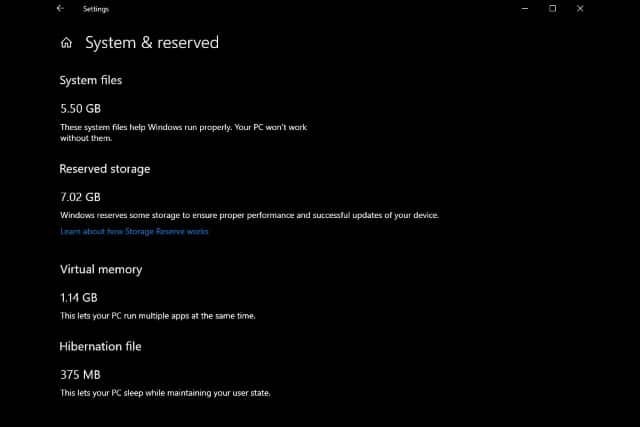
How to disable reserved storage in Windows 10
If you have upgraded to Windows 10 version 1903 -- or Windows 10 19H1 as you may know it -- you will find that a portion of your hard drive has been set aside thanks to the new "reserved storage" option.
Microsoft introduced this Storage Reserve (as it is also known) to "ensure proper performance and successful updates of your device", but not everyone is happy about it. You may be running low on disk space, or you just might like to remain in control of how your hard drive is used -- in which case, read on to find out how to disable reserved storage.
Microsoft releases Windows 10 19H1 Build 18312
We’re only nine days into 2019, and Microsoft is rolling out the second 19H1 build of the new year to Insiders on the Fast ring.
Build 18312 gives users access to the new 'reserved storage' feature which we covered yesterday. This reserves around 7GB of storage on Windows 10 systems to guarantee day-to-day smooth running, and also to ensure that large updates don't fail on systems with limited free space. To try it out though, you will need to run through this quest which will give you access to it in the next flight. If you run the quest before upgrading to this new build, you will get access to the feature when you do upgrade.

Future versions of Windows 10 will reserve 7GB of storage to prevent big updates failing
Previous feature updates for Windows 10 tended to fail if you didn’t have enough free storage for the task. The onus was on users to free up the required space manually before the update could go ahead, but that’s about to change.
In the next big feature update, version 1903 (codenamed 19H1), due out in the spring, Windows 10 will automatically reserve enough space to ensure the update can complete without problems. This might be 7GB, but it could be more, "based on how you use your device".



