


Google posts Android 4.1.2 factory images for Nexus 7 and Galaxy Nexus
Google released factory images for Android 4.1 Jelly Bean about a month after announcing the mobile operating system during its developer conference in June. But the Mountain View, Calif.-based corporation only waited two days after releasing the Android 4.1.2 update to post Google Nexus 7 and Galaxy Nexus factory images.
Using the factory images, the two devices can be updated to the latest Android version, 4.1.2 build number JZO54K, without waiting to get them over the air by cellular radio or Wi-Fi, or to be restored to stock after using a custom Android distribution such as CyanogenMod 10 or AOKP Jelly Bean. The factory images have only been updated for the Google Galaxy Nexus HSPA+ sold via Google Play and Google Nexus 7, yet they're likely to make an appearance for older devices as well, such as Nexus S.

When Task Manager isn't enough, try Process Liquidator
When you need to view or close a few running processes, then Task Manager isn’t too difficult to use. A quick Ctrl+Shift+Esc, the Processes tab will show you precisely what’s running, and you can close whatever you like with some assistance from the “End Process” button.
But if you need something even easier, though, there’s always Process Liquidator, a simple Task Manager alternative which claims it can display all your running processes, and delete your preferred choice with a single click.
TweetDeck 2.0.1 makeover mimics Twitter website
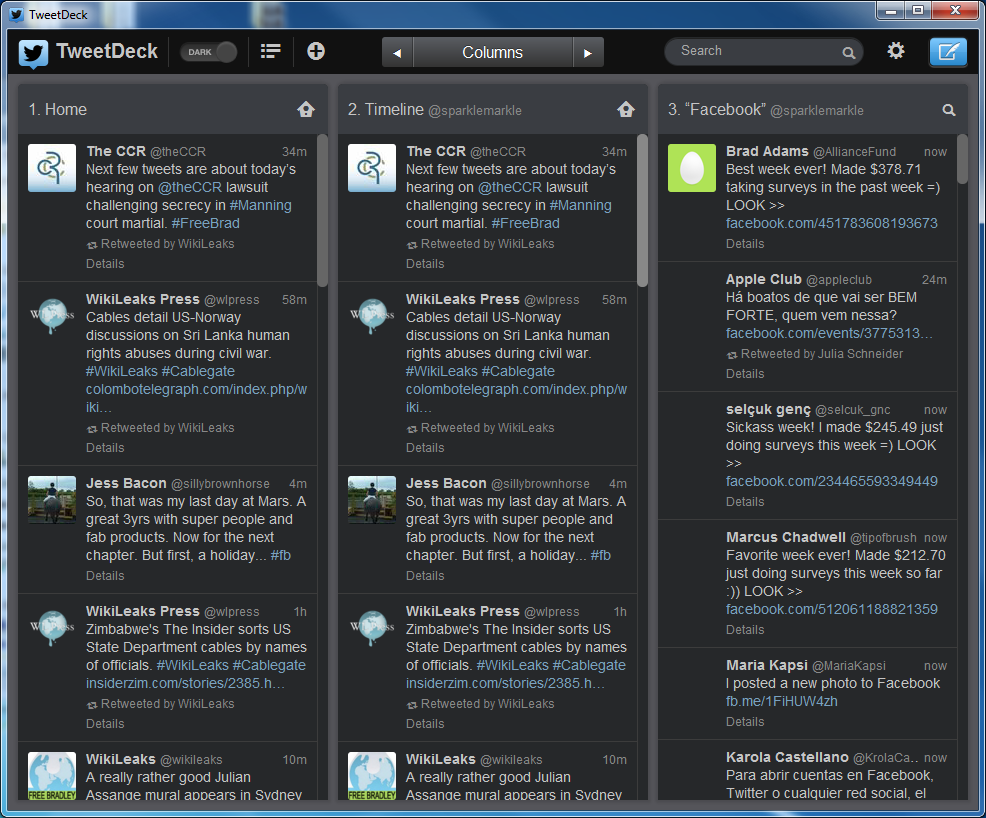
Twitter may be accessible through a website, but many users turn to a dedicated app to keep abreast of what the people they follow have to say and to share their thoughts with followers. One of the most popular Twitter clients, TweetDeck, has received a major upgrade that brings a redesigned interface, choice of new themes and much more.
The most noticeable change in this latest release is the new look, which is more in keeping with the Twitter website and other official Twitter apps. Anyone using the service can enjoy a more uniform experience moving between platforms as things now look much more similar whether the web is used or an app for iOS, Android, Mac or PC. There has been a great focus on usability, and screen elements have been improved o make them easier to read.

Mozilla warns: stop using Firefox 16
Only two days after announcing Firefox 16, Mozilla removed the browser in response to a security vulnerability affecting all early installations.
Mozilla warns that the flaw allows a malicious website to "potentially" determine where Firefox 16 users have been and to gain access to the URL or URL parameters. The open-source group says it had no knowledge of the exploit and as a safety measure recommends that anyone who installed Firefox 16 should "downgrade" to Firefox 15.0.1 and wait for the browser to be upgraded to the new, fixed, version.
Pimp My Rom takes Android modding to a new level
Modding is a very popular activity among Android users, which sometimes is a relatively cumbersome process. To make tweaking your green robot-based smartphone or tablet easier Pimp My Rom comes into play by promising to suit any Android distribution and device, while delivering an impressive number of customization possibilities. Pretty neat, isn't it?
Pimp My Rom, besides having a "naughty" connotation, is a script based on AROMA Installer that is designed to customize Android distributions and brings a number of features, mods and tweaks that can be selected and applied from a touchscreen interface. According to the developer, it can run on any device using Android 2.3 Gingerbread, 3.0 Honeycomb, 4.0 Ice Cream Sandwich or 4.1 Jelly Bean, basically covering more than 75 percent of all Android smartphones and tablets that run today.

Get a life! Microsoft isn't trying to be Apple
Yesterday's Steve Ballmer "devices and services company" letter unleashes a torrent of idiot punditry. I can only laugh at the sheer stupidity of writers infatuated with the idea Microsoft wants to be Apple, or putting forth such lunacy to sack pageviews.
Read Ballmer's 1,300-word missive again. Microsoft's focus on devices and services has little to nothing to do with Apple. The cloud-connected device era is here and Microsoft embraces it to maintain computing relevance. The company has been on this course for years. Research and development takes time, and the good ship Microsoft is too large to change course in a few months -- or even a few years. The sheer number of carefully coordinated new (and largely changed) products shipping simultaneously (or soon after) clearly indicates a massive undertaking long planned.

Microsoft wants to become Apple, but can't
Microsoft has a long history of copying Apple. Back in the early 90s, Bill Gates' company introduced features found in the Macintosh GUI into Windows 2.0, sparking a copyright infringement lawsuit (Apple's taste for litigation is nothing new). Microsoft arguably has pilfered ideas from its rival's OS ever since -- Windows’ taskbar and Aero Peek certainly share clear similarities with OS X's Dock and Exposé. When the iPod became a massive hit, Microsoft introduced the Zune. Apple stores are hugely popular, which is why we’re now seeing Microsoft Stores popping up everywhere. Surface, in a way, copies the iPad, although of course Microsoft has tried (and failed) to popularize tablets since 2002.
And yes, before I go too far into this article, I’m aware the above paragraph could be seen as troll bait, so I’ll point out that Microsoft copies from other companies too -- Google being a major example -- and Apple, in turn, has lifted ideas from Microsoft, particularly from its operating system. Big companies copy from one another, it’s a fact of life. My point, however, is when Apple does something exceptionally well, Microsoft is keen to try and follow suit.
Android 4.1.2 Jelly Bean comes early for CyanogenMod 10 nightly users, also brings a hidden feature
As a CyanogenMod 10 user I religiously check for nightly builds, and today I received a bonus. Yesterday my colleague Joe Wilcox wrote "Google updates Nexus 7 to Android 4.1.2" and, while it will take some time for the update to push throughout the Nexus lineup, Android 4.1.2 is already incorporated into the latest CyanogenMod 10 nightly.
CyanogenMod 10 nightly, October 10 build, is based on Android 4.1.2 Jelly Bean and sports the JZO54K build number, from the previous nightly that used Android 4.1.1 build number JRO03R. Upon a bit of research, for my Samsung Galaxy Nexus the popular Android distribution has undergone massive changes to include the "jb-mr0-release", similar to other devices such as the popular Samsung Galaxy S III, HTC One X or Google Nexus 7. Upon a bit further research it seems that apart from allowing launcher rotation, the build also includes a significant number of improvements from the previous build.

Google's new Tablet App Quality Checklist should be mandatory
My only real complaint with the Nexus 7 is the way apps are displayed. Many times developers have not compensated for a screen larger than 4 inches, and the resulting app looks terrible. Nexus 7 does a decent job of covering this up in some places due to the size of the screen, but when you come across an app that has clearly been designed for many screen sizes, you notice the difference.
Google encourages developers to design their apps to suit the operating system instead of the screen size through a variety of mechanisms, the most recent being a checklist to ensure higher quality design practices are being used when developing apps. In my opinion, this checklist should be much more than a friendly suggestion.
You can forget iPad mini
I did something quite shocking yesterday -- talk to my boss on the phone. Yes, we both occasionally get sentimental about such old-fashion communications. Among the topics: iPad mini, which is perennial rumor topic recently. Neither of us could quite fathom why or for what price a smaller Apple tablet makes sense. A new survey makes iPad mini all the more perplexing, and all the less a good idea.
According to an August TechBargains.com survey of 1,332 shoppers, 50 percent wouldn't buy iPad mini, while 45 percent would purchase iPhone 5. Meaningful context: The shopping comparison site conducted the survey before either product was announced, equally gauging sentiment based on rumors. Only 18 percent of respondents would buy the tablet. But that low number only hints at the deep level of disinterest.
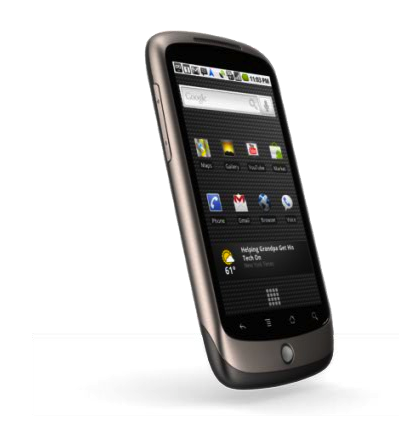
NASA sends HTC/Google Nexus One...into space
Launched with Android 2.1 Eclair in January 2010 the HTC-built Google Nexus One is more than two years old, but that is not stopping NASA from re-launching the smartphone... into space this time around.
Part of the PhoneSat program designed to create "small, low-cost, and easy-to-buid nano-satellites", in 2013 the National Aeronautics and Space Administration will launch Google's former Android flagship smartphone into space. According to HTC, NASA will not unbox the Google Nexus One and strap it on a rocket, as it was already put through thorough testing. The smartphone's first contact with space was in 2010, when it was attached to a rocket and launched to the edge of space, while also recording every step of the trip.

ExamDiff makes comparing text files easier
If you need to figure out the differences between two files on a PC then you’ve always been able to use the COMP command. And we do mean always: it’s been around for 30 years, since the days of DOS 1.0. COMP isn’t exactly the most intuitive of tools, though, so if you just want to compare a couple of HTML files, say, then we’d recommend something a little more up-to-date, in the shape of the free ExamDiff.
Launch the program and you must first point it at the files you’d like to compare. Only text files are supported (the commercial Pro versions can compare binary files, directories and add many other features: see the author’s website for details). Click OK, and both documents are displayed, side-by-side, with added, deleted or changed files highlighted.
Turn your tablet or phone into a second monitor
If you use, or have ever used, a multi-monitor computer, you’ll know just how useful a setup it can be. Have the extra space afforded you by double the usual number of monitor enables you to see more at once, work more quickly and be more productive -- but it can also be expensive and requires you to have a desk large enough to hold two monitors comfortably. If you have a mobile device, however, you can use iDisplay to gain an extra monitor from your existing hardware.
The name of the software might imply that this is something that will only be of interest to Apple hardware owners, but in fact it can be used in conjunction with an iOS or Android phone or tablet. Your mobile device does no need to be physically connected to your computer -- the desktop version of the client software is available for both Mac and PC -- which opens up new opportunities.
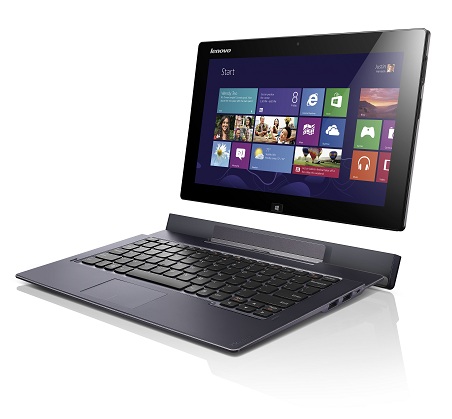
Lenovo's new Windows RT/8-based convertibles stand out from the crowd
One thing is certain -- it's raining Windows 8-based devices ahead of the October 26 launch of Microsoft's latest consumer operating system. After a number of manufacturers, like Acer, ASUS and Samsung announced Windows 8-based devices, Chinese PC maker Lenovo introduced four convertibles sporting Windows RT/8 aimed at consumers and business users.
For consumers, Lenovo announced the IdeaPad Yoga 13 Windows 8-based "multi-mode" ultrabook, its smaller Windows RT-powered brother IdeaPad Yoga 11, touted as the "world's slimmest multi-mode PC," and the IdeaTab Lynx that will be launched with the recently announced Intel Atom Z2760 "Clover Trail" processor. Lenovo has not forgotten business users and added the ThinkPad Twist to the Windows 8 lineup, sporting fully-fledged 3rd generation Intel Core processors up to Core i7, and up to Windows 8 Pro operating system. Let's take them one by one and see what's what...
Microsoft releases cumulative update for Windows 8
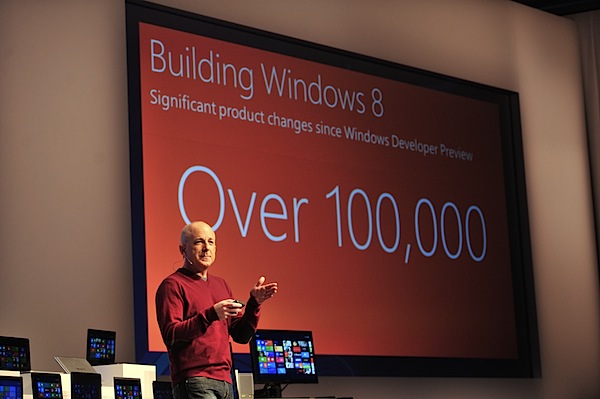
With the newest incarnation of Windows fast approaching, Microsoft has released a 102MB cumulative update for the "gold", or final, versions of Windows 8 and Windows Server 2012, designed to make the new operating system ready for general availability. According to Steven Sinofsky’s Building Windows 8 blog post, the update improves the OS’s "performance, power management and battery efficiency, media playback, and compatibility."
You can install the 'Update for Windows 8' through the control panel and see exactly what’s been addressed in the accompanying Knowledge Base article.



