

Google is changing the lock icon in Chrome because it believes 'security should be the default state'
Visit a secure website (that is, one that loads over HTTPS) in Chrome, and you'll see a lock icon in the address bar. But this is set to change. Google has announced plans to remove the familiar padlock icon, providing a number of reasons for a decision that many users will regard as a step in the wrong direction.
Among the arguments in favor of removing the icon is that HTTPS is the norm rather than the exception, and that the simple fact a site uses a secure connection is in no way indicative of its inherent trustworthiness.

Google is giving users more control over tab-sleeping Memory Saver feature in Chrome
Google Chrome has a long-held -- and much-deserved -- reputation for being a resource hog. To help counter this the company recently introduced Memory Saver, a feature that reduces the browser's memory consumption by putting inactive tabs to sleep.
This was an addition that went down well with most users, but there were some who were unhappy with the lack of control they had over the feature. This is about to change, with Google working to introduce new settings to gives users more option when it comes to memory management.

Google Authenticator gains cloud backup of one-time codes
Google has released an important update for its Authenticator app. The latest versions of Google Authenticator for iOS and Android can now synchronize one-time codes to the cloud.
In offering Google Account synchronization, the 2FA tool is now easier to use across multiple devices. This is something Google points out as being useful in the case of a lost or stolen device.
Microsoft adds Bing Chat AI to SwiftKey Beta for Android
Microsoft, Google and just about every other tech firm in existence is busy embracing artificial intelligence. In the latest example of bandwagon-jumping, the Windows-maker's new beta version of the SwiftKey keyboard for Android has gained AI functionality.
New capabilities come courtesy of Bing Chat AI, with Android users "slowly" gaining access to the power of Microsoft's chatbot; it is not yet clear quite when iOS users might also get the same treatment. But just what does the arrival of Bing Chat integration mean for SwiftKey?

Google launches Nearby Share for Windows in beta to simplify sharing files between Android and PC
As any owner of an Android device will tell you, while there is a lot to love about Google’s mobile operating system, there remains a lot of room for improvement. A good example is the sharing of files between a smartphone running Android and a PC running Windows -- something that has proved bewilderingly and unnecessarily cumbersome in the past.
To make file sharing easier, Google has launched a beta version of Nearby Sharing for Windows, expanding the availability of what was previously a mobile-only app.
Google Workspace gains generative AI
Generative AI is very much flavor of the month at the moment thanks to tools like ChatGPT. Now business tool Google Workspace is getting in on the act with new features to help users create drafts, proofread, generate images and more.
Initially the new AI features will be in Docs and Gmail. The company is keen to stress that users will remain in control, AI will make suggestions that you're able to accept, edit, and change.

Google kills off the Chrome Cleanup Tool for Windows
With the release of Chrome 111, Google is waving goodbye to the Chrome Cleanup Tool that has been available for a number of years.
After 8 years of service, Google has decided the Chrome Cleanup Tool -- which, the company explains, helps users to "recover from unexpected settings changes, and to detect and remove unwanted software" -- is simply no longer needed.
Google is working on a feature that reveals how much memory each Chrome tab is using
Having already taken steps to kill off Chrome's reputation as a massive resource hog, Google is now working on a way of showing just how memory is being used by the browser.
The company recently started to roll out a new Memory Saver feature which does very much what the name suggests, and now it seem there are plans in the pipeline to be more transparent about just how much memory each open tab is using.

Google is giving Chrome a new Password Manager -- here's how to enable it
For anyone who struggles to remember the growing list of endlessly complicated passwords needed to gain access to the plethora of online accounts we all now have, a password manager is near-essential. Chrome, like many of the web browsers, has long-featured a tool for storing and automatically entering passwords, and now Google is giving it a much-needed upgrade.
Until now, Chrome's password manager has been functional, but far from being adorned with bells and whistles. Now Google is giving it a new user interface as well as an important injection of new features.
Google is rolling out Memory Saver and Energy Saver features to Chrome users
Chrome may be one of the most widely used web browsers in the world, but along the way it has managed to earn itself a reputation for being something of a bloated resource hog. Now, weeks after initially announcing them, Google is rolling out a pair of new features to help address the problem.
Energy Saver and Memory Saver do very much what their names suggest, helping to reducing battery consumption and memory usage with a range of techniques. Available in Chrome 110, both features can be customized to your liking.
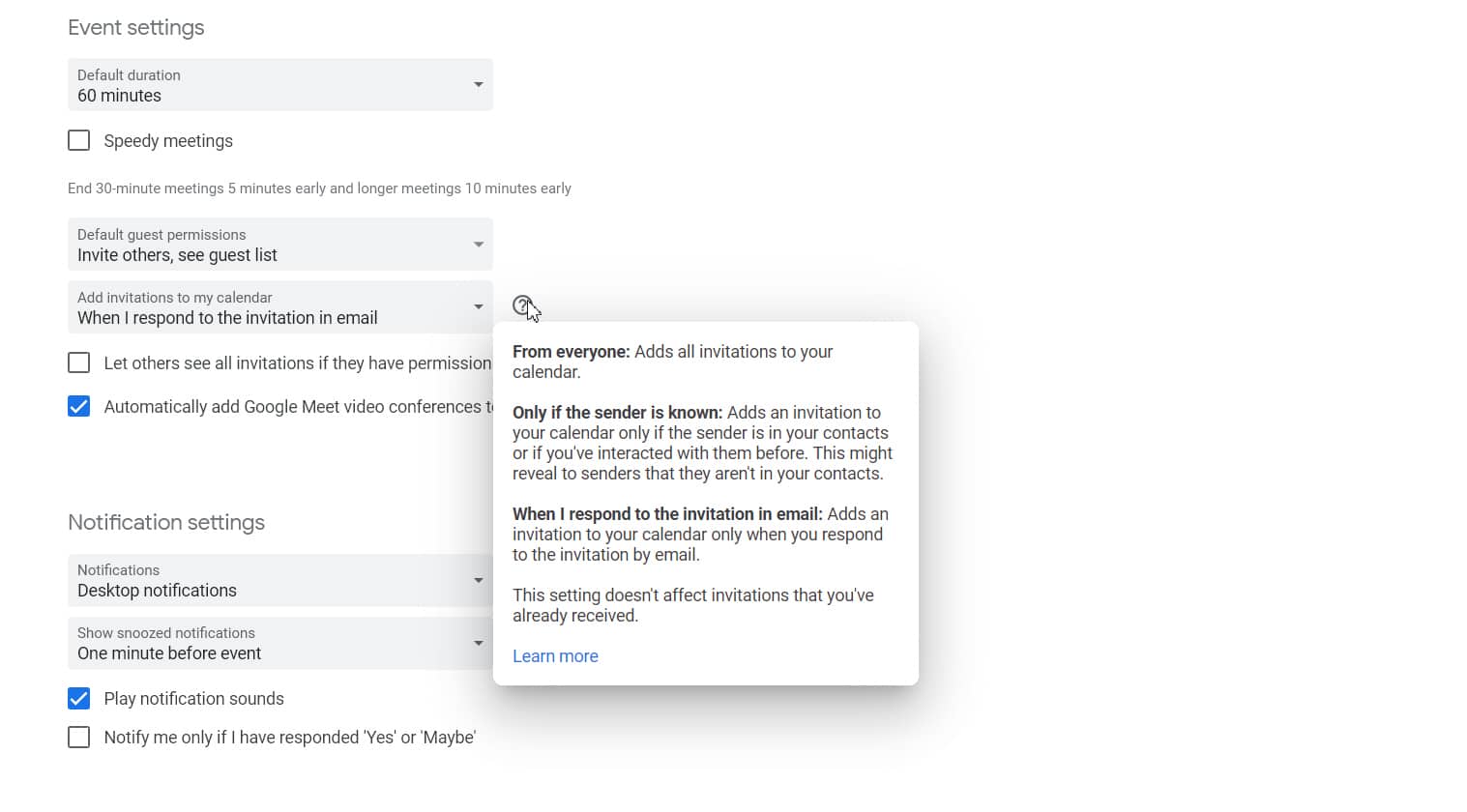
Google Calendar releases new spam protection
Spam in your calendar? It’s not something that most of us think about -- the word brings to mind email and phone calls and even just old-fashioned snail mail. But your online calendar is also a very real target and it may be growing worse.
It’s actually fairly ingenious; a spammer sends an invite to an event and, even if the email invitation goes to your spam folder, the event still goes to your Google Calendar. When you click on the event in your calendar it contains a malicious link. Even if you click 'decline' it can still take you to possible NSFW content, or worse. Plus, declining will simply cross out the appointment and leave the reminder behind.
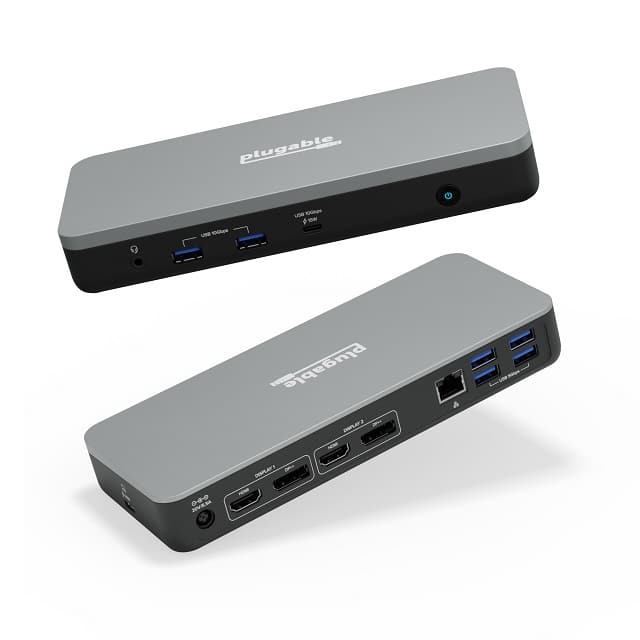
Plugable UD-MSTHDC is a 'Works With Chromebook' docking station
What is a Chromebook? Quite simply, it is a laptop running Google's Linux-based ChromeOS operating system. However, when you connect one of these notebooks to a monitor, keyboard, and mouse, it becomes a very capable makeshift desktop computer.
The most elegant way to transform a laptop into a desktop is with a USB-C docking station. But how can you be sure your Chromebook is compatible with such an accessory? Well, if the dock is officially certified as "Works With Chromebook," then you can be assured that it will work flawlessly.

Google leaks its own Pixel 7 Super Bowl commercial for some reason
Super Bowl LVII is happening this upcoming Sunday, and men across America are excited to watch the big game. While some women will also watch the Super Bowl, many of them will only be watching for the TV commercials. You see, even if you aren't a fan of football, the advertisements have become a spectacle in their own right.
The cost of running a Super Bowl commercial is very expensive, which makes it quite odd that Google has leaked its Pixel 7 ad early. Yes, over on YouTube, you can view the search giant's Super Bowl commercial now, meaning there will be no excitement surrounding it come Sunday.
Google launches new security and privacy features to mark Safer Internet Day
Google is using today's Safer Internet Day to announce a number of new security and privacy initiatives.
Among these are new ways to fill out passwords easily and securely in Chrome, more privacy protection for the Google app, improvements to Google Password Manger, and an expansion of SafeSearch to protect against explicit images.

Whether you like it or not, AI is coming to search engines
The public release of ChatGPT has started an AI craze that has taken the online world by storm. ChatGPT, for those unaware is a language model that has been trained for dialogue specifically.
It works similarly to chatbots, but is not as limited to returning information based on certain keywords in requests.



