

Opera 15 is a fresh start, not the end
Opera Software made a bold move earlier this year when the company announced that it would use WebKit as its rendering engine and V8 as the JavaScript engine for all new products. Later on it revealed that it would follow Google and use the Blink Fork instead of WebKit, but that did not change the explosiveness of the move.
It took the Norwegian company five months to release the first final version of Opera for PCs that is powered by the new engines. While that seems like a long time for users who wanted to find out how the change would affect them personally, the development time is not that long.
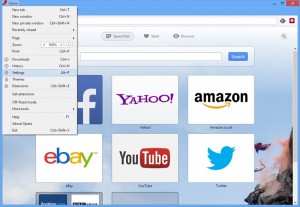
Stable Opera 15 arrives with new features and rendering engine
Just a month after unveiling the first beta to the public, Opera Software has released Opera 15.0 FINAL. The latest version of the browser receives a complete reboot, sporting a different rendering engine, revamped interface and a number of new features.
The new release does not spell the end of the previous version, however, with Opera 12.15 FINAL still available (and due to receive an update shortly) for those reluctant to move on.
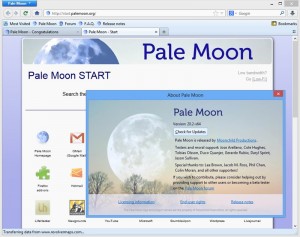
Pale Moon 20.2 delivers improved security and visuals
Moonchild Productions has released Pale Moon 20.2 and Pale Moon x64 20.2 for Windows. Also available in portable 32-bit and 64-bit forms, this performance-enhanced Firefox variant continues to base itself on an older build (version 20), despite the release of Firefox 22 FINAL.
Version 20.2 includes identical functionality to Firefox 20, which means developments in later versions of the popular opens-source browser, such as fully enabled WebRTC and social API extensions are not included here. This isn't surprising, as Pale Moon purposefully leaves the latter switched off by default as part of its commitment to deliver a more secure and speedier browsing experience.

Firefox 23 Beta arrives, enables mixed content blocking, click-to-start plugins
Hot on the heels of the release of Firefox 22.0 FINAL, Mozilla has released Firefox 23.0 Beta 1, a preview version of the next release that will ship in around six week’s time.
Version 23.0 implements mixed-content blocking for greater security, plus allows plugins to be evoked only when specific websites require them. New consolidated search default preferences have also been implemented that could prove controversial.
Firefox 22 enables WebRTC, makes social APIs easier to manage
Mozilla has released Firefox 22.0 FINAL for Windows, Mac and Linux. The update includes some platform-specific improvements -- Firefox following display scaling options in Windows, and providing download progress indicators in its dock application icon in OS X -- plus a number of other tweaks and improvements.
Other new features include the ability for users to now manage their social API plug-ins via the Add-ons menu (select Services in the left-hand menu to do so), while users can now adjust the playback rate of HTML5 audio and video files (right-click the playback screen and choose Play Speed to do so).

Has Microsoft made WebGL Secure? How?
Microsoft has dropped strong clues, without saying it explicitly, that Internet Explorer 11 in Windows 8.1 will support WebGL, a DirectX-like standard for fast gaming on the web. The biggest clue came in a video posted on Vine. Others have found direct evidence in leaked builds.
It's not hard to see why Microsoft would want to support WebGL. Everyone else does. However, the company spelled out the reasons it hadn’t so far in a Security, Research and Defense blog post two years ago.

Do Not Track standards do not coalesce
The advertising industry is in a huff over Mozilla’s plans to support "The Cookie Clearinghouse" at the Center for Internet and Society (CIS) at Stanford Law School. The Cookie Clearinghouse starts with some browser behavior changes and adds what Mozilla’s Brendan Eich describes as both block and allow-lists of sites and a mechanism for managing exceptions to them. What would be blocked? Third-party tracking cookies.
The advertising industry is displeased, as it has been in the past when its abilities to track users are impeded.

Maxthon for Windows adds global rule customising, restores Page Mute function
Maxthon has released a major new update for its self-titled browser. Maxthon 4.1 and Maxthon Portable 4.1 both aim to provide Windows users with a performance-enhanced browser that retains compatibility with Internet Explorer and Google Chrome.
Version 4.1 continues in this vein, delivering a number of performance-related improvements alongside a handful of new and enhanced features, including the support for customising global blocking rules.
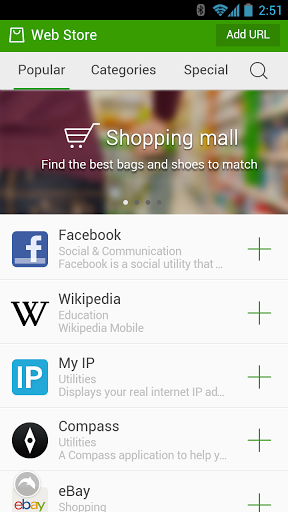
Dolphin browser for Android gets Flash, redesigned interface, new features
Late-yesterday, after reaching 80 million app installs, popular Android browser Dolphin received a significant update which, among the most noteworthy improvements, introduces a new UI (User Interface), a web app store and (re-adds) support for Flash content.
To take advantage of Flash content, Dolphin users have to install the Adobe Flash Player app and enable the feature from the settings menu. The browser now also comes with improved search support, touted as both faster and smarter, with queries directly turning up results on Amazon, Facebook, Twitter, Wikipedia or YouTube.

Microsoft: If you want to be green, use Internet Explorer!
The "browser you loved to hate" continues to try and find ways to push itself into prominence against the likes of Google Chrome and Mozilla Firefox. Now, on World Environment Day, Microsoft comes up with yet another reason why you should choose Internet Explorer over its closest rivals. And this is one of the most imaginative ones yet -- energy efficiency!
Roger Capriotti, Director of Internet Explorer Marketing, tells us that, according to the Center for Sustainable Energy Systems at Fraunhofer USA, "When compared to Google Chrome and Mozilla Firefox, Internet Explorer uses up to 18 percent less energy". He also adds in some fancy numbers, to boost this claim. Unsurprisingly, the report was commissioned by Microsoft.

Pipe exits beta and lets Facebook users swap files up to 1GB in size
Facebook is great for sharing thoughts, links, complaints and pictures with your friends, family and colleagues but, until now, there has been no easy way to share files through the social network. Pipe is a Facebook app that has undergone private testing for some time, but is at last available for everyone to use. Once installed, Pipe will let you send files of up to 1GB in size to your Facebook friends.
The app works by setting up a P2P connection between you and anyone you decide to share a file with. Ordinarily, file transfers are carried out in real-time, but if you want to send a file to a friend who is not currently online, it will be securely stored until they are available. This reduces the size limit right down to 100MB but it is possible to send an unlimited number of files in this way.
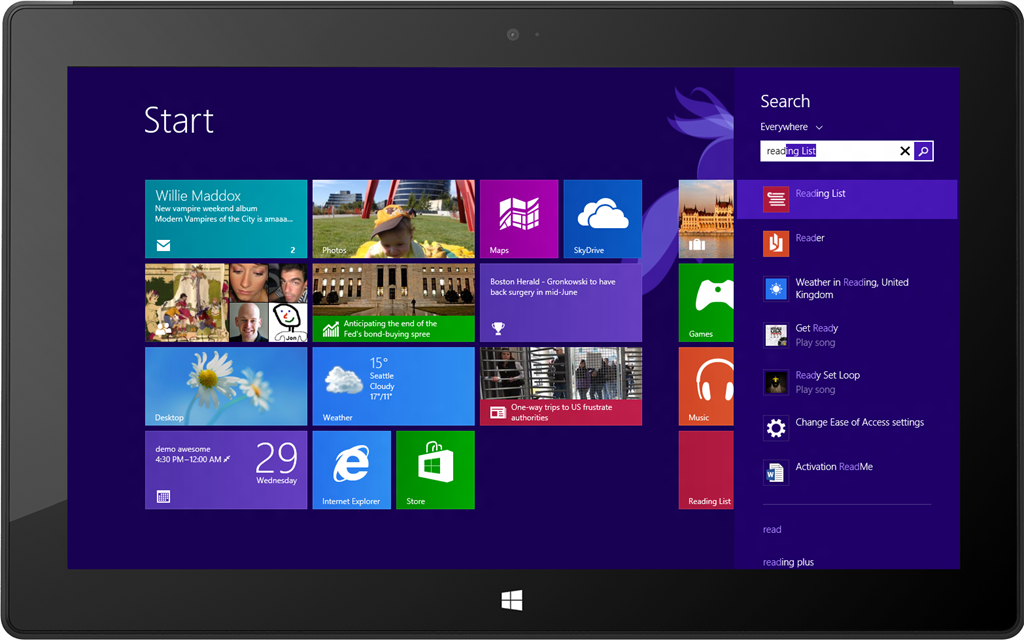
Bing to be integrated into Windows 8.1 for web and local searches
The upcoming release of Windows 8.1 has been the subject of countless column inches over recent weeks with the main focus being on the return of the Start button. But changes are also afoot for searching, with Bing being tightly integrated into the operating system to provide a rich and flexible search experience.
The Bing development team is working closely with the Windows team to produce a utility that can be used to search globally and locally. Windows' integrated search tool has evolved over the years into something that can be used to search not only files but also shortcuts.

Feedly lets your RSS feeds live on after Google Reader's death
It’s common knowledge that Google is closing its Google Reader service, and that July 1 deadline is creeping ever closer. Now is the perfect time to switch to an alternative service and become acclimatized to a slightly different way of working, and the good news is that you can make the switch in minutes without having to perform any convoluted tricks, thanks to Feedly.com.
There are two ways to access Feedly -- if you’re on a desktop or laptop, you’ll need to install the Feedly for Firefox, Chrome and Safari plug-in, and if you’ve an Android or iOS mobile, you’ll want to install Feedly 15.0.1 instead (or in addition to) in order to access the service.
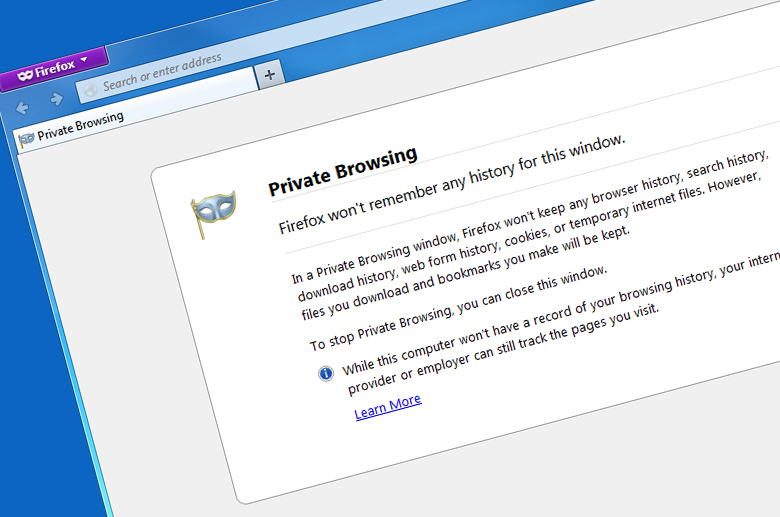
Make your Firefox private browsing sessions even more private
These days, the ability to browse the web anonymously is built into most web browsers. Firefox has a special Private Browsing mode where no trace of your history -- including searches, downloads, web forms and cookies -- is kept, although any downloaded files and bookmarks will remain as evidence of your secret browsing session.
It’s certainly more robust than a general browsing session, but it’s not as secure as it might be. That explains the reasoning behind Private Browsing by PortableApps.com 3.0, a free add-on for Firefox Portable Edition for Windows.

One third of UK web streamers pirate film, TV and music
We all know that the internet is home to illegal software, music, movies and much more. It may seem like an impossible task to put figures to piracy levels, but a report by Ofcom, the independent regulator for the communications industries in the UK, has done just that. The Online Copyright Infringement Tracker report found that a staggering 30 percent of regular downloaders of media did so illegally.
The report looked at the period from November 2012 to January 2013 and analyzed UK consumption of online music, film, TV programmes, books, games and software. Compared to the previous three months, the percentage of web users accessing any of this type of content increased from 57 percent to 60 percent.



