

KDE Mover-Sizer brings handy Linux desktop tricks to the PC
Resizing and repositioning windows on the PC desktop is such a fundamental task that you’ll almost do it without thinking. Move the mouse to the title bar/ border, click, drag, release. Very basic, very simple -- but there might still be room for improvement.
KDE Mover-Sizer is an open source, portable tool which brings a common Linux desktop trick to Windows. Instead of having to move your mouse cursor to the title bar or border, you just hold down the Alt key, then left-click anywhere inside a window and drag to move it, right-click and drag to resize it.

Microsoft purges 1,500 deceptive apps from the Windows Store -- get your refund now!
When I was a kid, generic foods were a staple in our home. Rather than have Lucky Charms or Froot Loops, my mom would buy whatever knock-off brand that Pathmark or Waldbaums was selling. An easy way to know if you are getting off-brand cereal, is that it comes in a bag rather than a box. While not as tasty, it at least provided nutrients and calories. It's not like there were rocks or sawdust in the package.
Unfortunately, the Windows Store has been full of knock-off apps that equates to buying a product and getting an empty box. You see, devious "developers" have been filling the store with phony apps that resemble legitimate ones. This means people were spending their hard-earned money on deceptive garbage, and these low-life developers have been getting paid. Today, Microsoft says enough is enough and removes 1,500 of the offending apps. If you were deceived by one of them, you can even get a refund.
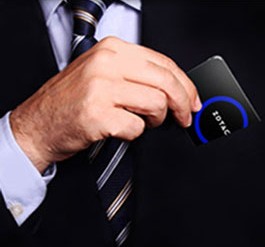
Zotac unveils ZBOX PI320 pico -- a tiny PC running Windows 8.1 with Bing
Technology is almost always shrinking. The only thing that seems to keep getting physically bigger is displays (monitors). This is the reason that smartphones are now getting huge -- people like more real estate on which to work. Before the smartphone was popularized, cell phones were getting ridiculously tiny.
Home computers have been shrinking too -- laptops keep getting thinner, and desktops keep getting smaller. However, desktops still command too much of a footprint on a desk. The tiny Raspberry Pi, when paired with Linux, showed the world what could be, but Windows machines would never achieve such size, right? Wrong. Today, Zotac unveils a Windows computer that is impossibly small -- the ZBOX PI320 pico.
Parallels Desktop 10 officially available, promises improved performance, adds new Disk Space Wizard
Parallels IP Holdings GmbH has unveiled Parallels Desktop 10 for Mac to the general public, one week after making it exclusively available to existing users.
The app, which makes it easy to run Windows in a virtual environment in OS X, launches with the promise of drastically improved performance and better battery life, plus adds new features and promises compatibility with the forthcoming OS X 10.10 Yosemite, currently in public beta.
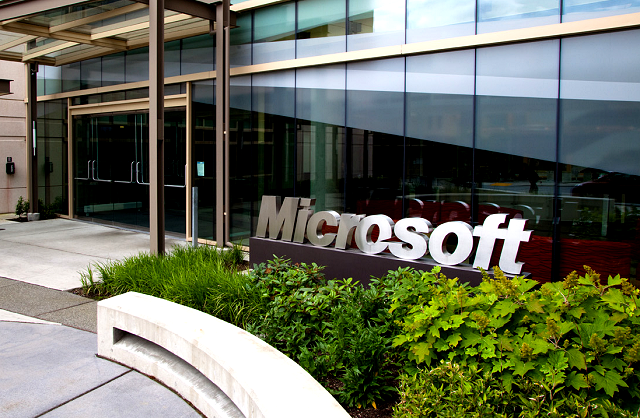
China focuses on Internet Explorer, Windows Media Player in its beef with Microsoft
There has been more (big) trouble for Microsoft over in China, as the software giant is now facing scrutiny of its web browser (Internet Explorer) and Windows Media Player.
This is part of a Chinese antitrust investigation against Redmond, which apparently kicked off when Microsoft's offices in China were swooped on by officials from the State Administration for Industry & Commerce (SAIC) at the end of July.
HDD Guardian tests and monitors your hard drive health
SMART (Self-Monitoring, Analysis and Reporting Technology) is a monitoring system which reports on various reliability indicators, and sometimes highlights imminent hardware failure of HDDs and SSDs.
These predictions can sometimes be questionable, but SMART still has plenty to offer, and the open source HDD Guardian (also available in a portable edition) provides a simple and straightforward way to find out more.

Design stylish, detailed diagrams with yEd
YEd Graph Editor is an interesting free diagram designer with some unusual features.
The core interface works much like many similar applications. You’ll choose your symbols from a palette (flowchart, UML, ERD, BPNM, network, computer, more), drag and drop whatever you need onto the page, and position them as you like. Symbols may then be customized with text, colors, URLs and more, before you join them up with lines to represent your structure or ideas.

Create fun photo collages in seconds with Shape Collage
Shape Collage is a photo collage tool with a difference. You're not restricted to creating collages with the standard rectangle or "pile of photos" look: they can use whatever shape you like.
The free-for-personal-use program crams a lot of functionality into a single window, but smart interface design means it's still very easy to use. Click the "Add" button, choose a few photos (local, from your online accounts or a general internet search), click "Create" and that's it: your first collage.

China takes on Windows, Android with new homegrown operating systems
China really is serious about shrugging off the shackles of Windows and other Western operating systems, as the country is apparently developing its own OS which is free from the security misgivings the government has about foreign software.
According to the Xinhua news agency (via Reuters), the Chinese government is looking to boost its domestic software industry and develop alternatives firstly for desktop operating systems (namely Windows), and then it will follow those footsteps in the mobile world with an Android usurper (or that's the theory). This is according to a certain Ni Guangnan, head of an "official OS development alliance" which was put together back in the spring.

Microsoft helps Royal Caribbean become the ultimate cruise line for nerds
Cruising is something that is near and dear to my heart. As someone who grew up very poor, my family never went on vacation -- it was a waste of money. This was the mindset that I was raised to have, thinking travel was stupid, when money can go towards bills. This thinking was dangerous though, as I became an adult that almost never left New York. It's a cliche, but life is short, and it is silly not to see the world.
What broke this frugal trance was cruising. While a normal vacation is very expensive and far from my grasp, a cruise can be very affordable as all food is included. Over the last 8 years, I have been on 7 Royal Caribbean cruises, and a couple of weeks ago, I went on my first Celebrity cruise (it's the same company). To say I like Royal Caribbean is an understatement -- I love it and am proudly a Platinum member of its Crown and Anchor Society. Unfortunately, technology on the ships has been very lacking. As a computer nerd, not having tech was maddening, although sometimes freeing too. Today, Royal Caribbean appeals to nerds, with the help of Microsoft, as its Quantum of the Seas ship goes high-tech.

Ultimate Settings Panel 1.0 now available, puts key Windows shortcuts just a couple of clicks away
UK developers Techy Geeks Home has released Ultimate Settings Panel 1.0, a brand new collection of shortcuts to key system Control Panels and other tools for Windows users.
Version 1.0 offers easy access to key Windows shortcuts as well as useful management utilities for Microsoft Outlook 2010, System Configuration 2007 and System Configuration 2012. More categories are promised in future versions.

Argente Utilities review
Argente Utilities is a one-stop PC maintenance suite with tools to clean, optimize, repair and generally improve your system's speed and reliability.
It's a relatively lightweight, portable package, arriving as a 7.5MB zip file, and there's no adware or similar hassles: just a gentle "donate" screen which you can dismiss forever with a click.
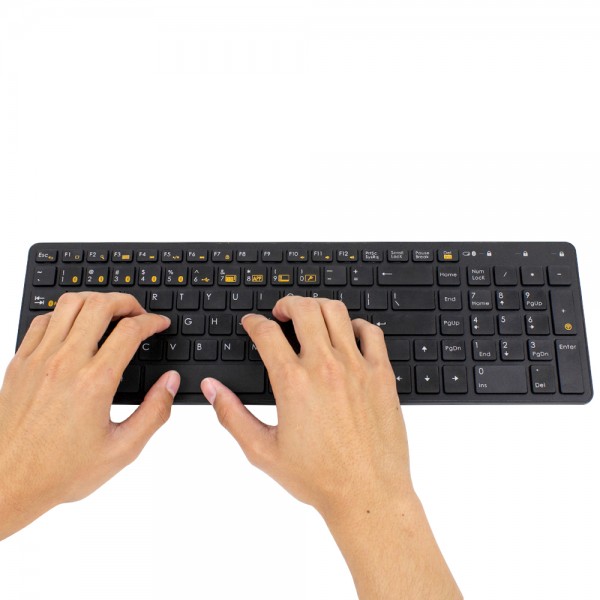
Satechi announces the BT Wireless Smart Keyboard for Windows and OS X
I am gong to let you in on a secret -- I love the Apple Wired Keyboard. When I say "love", I mean it; if legally possible, I would marry it. Whether I am on Linux, Windows or OS X (Hackintosh), it is the keyboard of my choosing. Why? Build quality and the speed at which it lets me type. The effort needed to press the keys is very minimal and the height of the keys allows me to move my fingers quickly. The problem is, it stands out and looks ugly on my desk. You see, my desktop, monitor and mouse are black, but then Apple's product is an angelic white that is out of place and simply doesn't look cool.
Unfortunately, I do not anticipate the fruit-logo company producing a black variant any time soon. Luckily, Satechi announces a new keyboard that may be destined for my desk -- the unimaginatively named BT Wireless Smart Keyboard. It looks a lot like Apple's keyboard and comes in both black and white. While the "BT" stands for Bluetooth, it is not a wireless-only affair. You see, it has a USB port and can double as a wired keyboard too!

A Linux Trojan gets ported to Windows
While most people consider Linux safe and secure, it isn't always the case. When the bad guys of the internet have a will, they find a way. That's why, back in May of this year, security firm Dr. Web reported a new family of Linux Trojans designed for DDoS attacks.
Now the company reports that one member of that family, known by the catchy name of "Trojan.DnsAmp.1" has been ported over to the Windows side of the computing world.

SingularLabs releases free clipboard manager Remembr
Shane Gowland’s SingularLabs has announced the release of Remembr 0.0.0.1, a simple free clipboard manager for Windows.
As with similar programs, Remembr lives in your system tray, and maintains a list of the text and images you copy to the clipboard.



