

Wow! Massive Windows 10 Insider Preview Build 15002 arrives on Fast ring -- and it's a doozy!
The holidays are over, and so it’s time for a new Windows 10 Insider Preview build to hit the Fast ring.
While we’ve been waiting for Microsoft to find a build that’s considered safe, and stable enough for testers to try, there have been a couple of leaked releases -- 14997 and 15002. Installing either of those was not without its risks, but the big news is if you’re a good Insider and have been waiting patiently for an official build, the wait is over. And boy, has Microsoft got a treat for us with this release.

Gartner: Windows 10 is on its way down -- grim forecast for the next three years
Gartner has a grim prediction for Microsoft which is pinning its hopes on Windows 10 and the forthcoming Creators Update. According to the research firm, Windows will lose OS share in 2017, and then flatline for at least the next two years.
Gartner’s prediction covers all flavors of Windows, but of course it really means Windows 10 since that is now Microsoft’s only readily available OS. Apple on the other hand is set for a brighter future, with its operating systems set to see continued growth.
Microsoft sneaks yet more ads into Windows 10 Creators Update
Microsoft has been sneaking adverts into almost every spare space in Windows 10.
These ads appear in the Start menu, on the Lock screen and even in the Windows Ink Workspace. Plus, the software giant has been showing popups promoting Microsoft Edge and running app promotions on the new tab page. But, because there’s still real estate left to throw some more ads in, Microsoft plans to introduce even more promotions in the forthcoming Creators Update.
How to install leaked Windows 10 Build 15002, and what's new
Microsoft may have said that there would be no new Insider builds released this week, but that did nothing to stop one from leaking out anyway. Windows 10 Build 15002 has been lifted directly from Microsoft's servers and you can grab yourself a copy if you fancy trying it out.
Don't expect an easy ride if you do decide to download the leaked version, however -- it is supplied in WIM format, meaning that you will have to tinker about with converting it as well as other steps. There are a few changes worth noting.
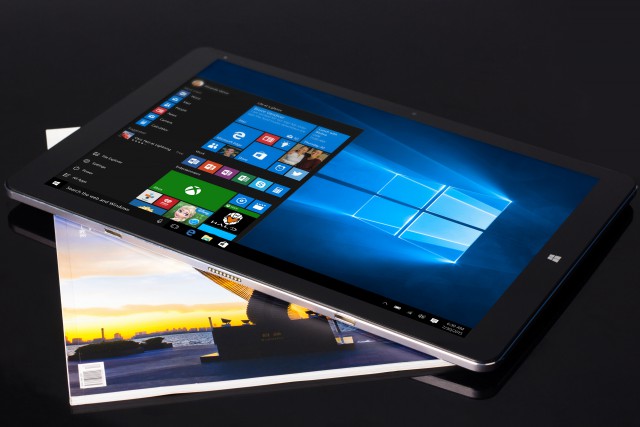
Chuwi Hi13 hybrid takes on Microsoft Surface Book
If you can't afford a Microsoft Surface device, chances are there is a pretty interesting alternative out there that does not break the bank. For instance, Chuwi's Hi12 falls in the same category as the Surface Pro 4, but can be had at a fraction of the cost.
Same goes for the new Hi13, which the company is pitching as a rival to the mighty Surface Book. Microsoft's hybrid device is very impressive, featuring high-performance internals, a premium build, and a price to match, so what does the Hi13 bring to the table?
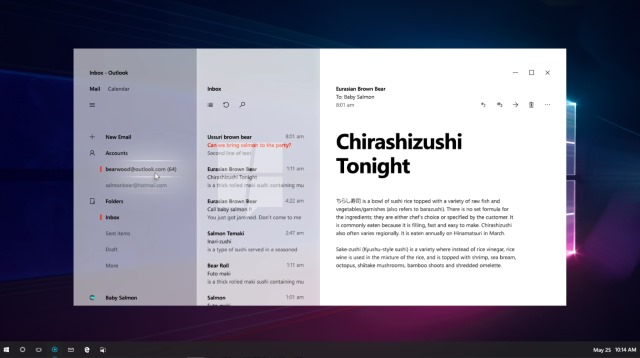
Windows 10 to get a new look with Project NEON in Redstone 3
The look of Windows has evolved over the years -- some would say at a largely glacial pace -- and with an incremental update to follow Windows 10 Creators Update we're in line for the latest change. Known as Project NEON, this is not a major overhaul of the Metro or MDL2 (Microsoft Design Language 2) look, but it introduces some new ideas in the form of Acrylic.
Some of the features of NEON can already be seen in the latest builds of apps such as Groove Music, and Connected Animations. Acrylic brings blurring effects to apps not only to create a sense of depth, but also to help improve focus and reduce distractions. Leaked images give us a pretty good idea of how things are going to look.
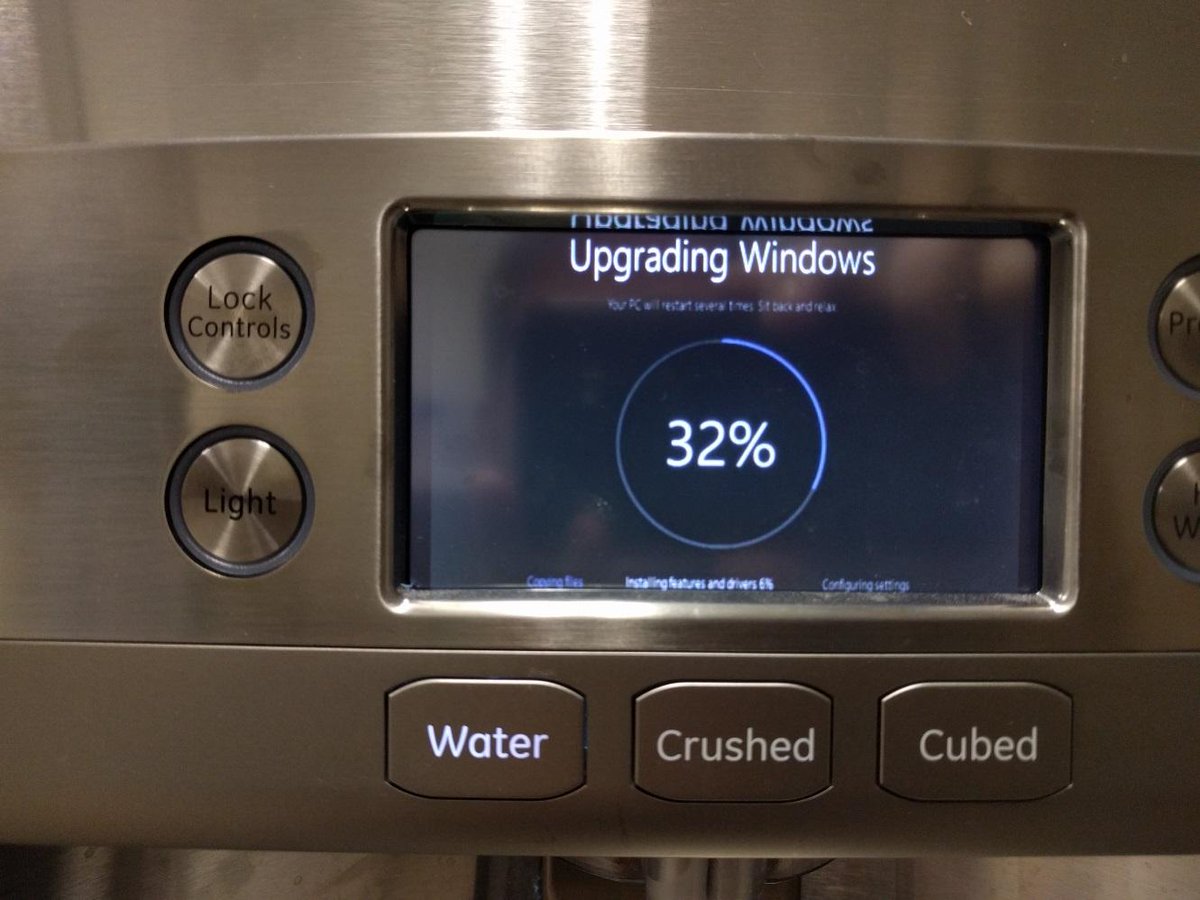
Windows 10 makes thirsty drinkers wait while it updates the fridge
Last year we wrote about how Windows 10 ruined a live weather broadcast with an unwanted upgrade, and killed a live pro gaming stream with a badly timed update.
A few days into 2017, and Jackie Stokes, Director of Incident Response at Intel Security, has brightened our day with this image of Windows 10 updating on a fridge, captioned "I just wanted some water…"

Windows 10 enters 2017 not with a bang, but a whimper
Happy New Year! 2016 was certainly an interesting one for Microsoft and Windows 10. The software giant hit more than a few low points during the year, and while the new operating system managed to gain decent market share off the back of an incredibly aggressive push, its growth came shuddering to a stop once the free upgrade period ended.
December should have been a great month for Windows 10, with people buying new PCs for the holidays, but actually it was a pretty lackluster month in which the new OS’s gains were minimal, and way less than those enjoyed by the aging Windows 7.
My favorite tech items of 2016 [Brian]
Today is New Year's Eve, and while all the cool kids are out partying, I am sitting here reflecting on my favorite tech products of the year. Yeah, I'm a nerd.
Believe it or not, 2016 saw me getting deeper into Apple's ecosystem (I still love Linux and Windows 10, though). I continue to love the iPhone 6s Plus, iPad mini 4, and Apple TV I bought in 2015, but this year, I added AirPods and a MacBook Pro. One of those Apple products was quickly returned, while the other is my overall favorite. Can you guess which is which?
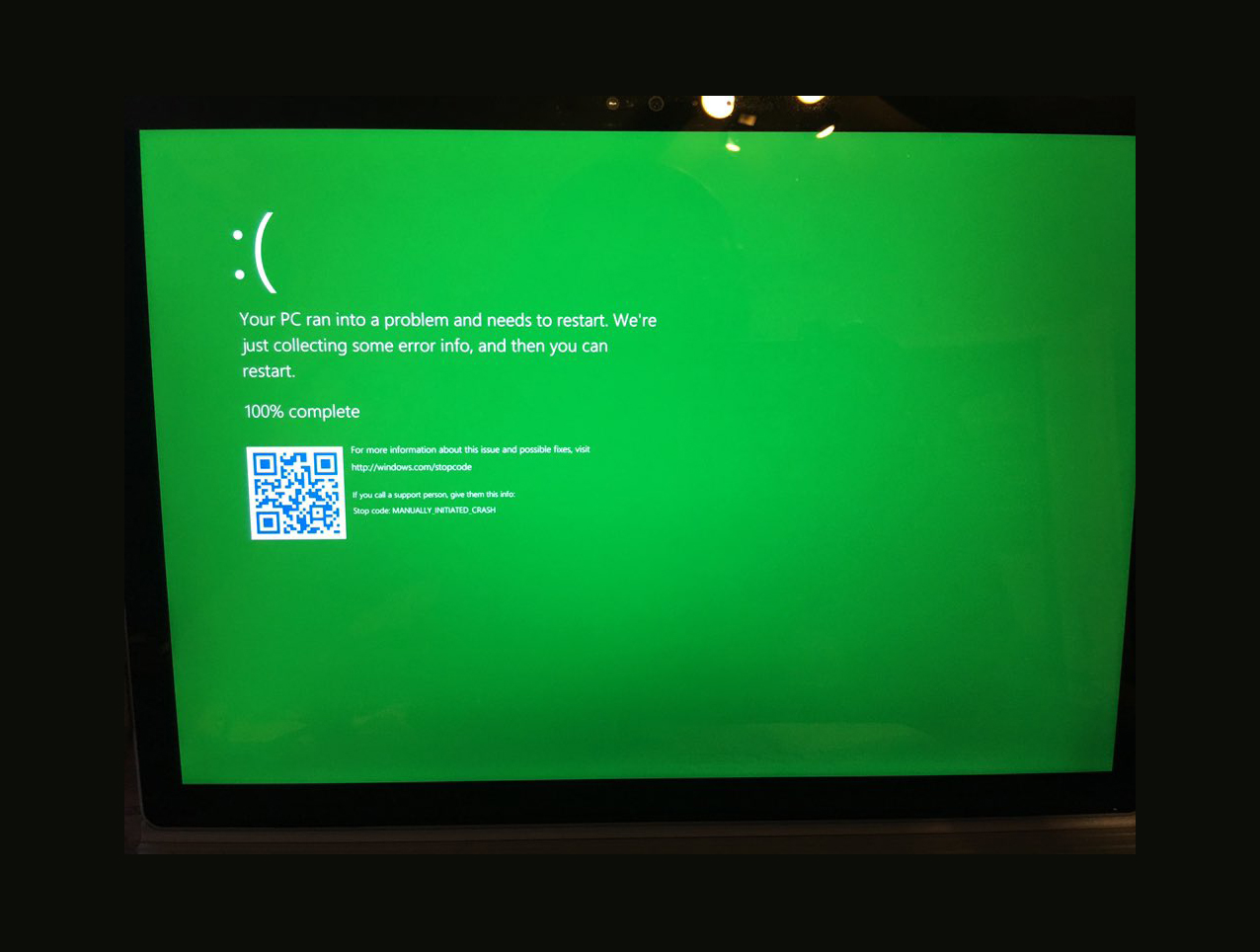
Behold the Windows 10 GSOD -- Green Screen of Death
The other day I turned on my computer and was faced with the infamous Blue Screen of Death. This one was caused by a graphics error, and nothing too onerous, but I’ve had to troubleshoot numerous terrifying BSODs over the years.
The Blue Screen of Death is synonymous with big show-stopping problems, but Microsoft is currently toying with a different shade of terror -- green.

Microsoft finally lets users pause updates in Windows 10
One of the features Microsoft introduced with Windows 10 was mandatory updates. The software giant was obviously hoping this would keep users safe, but it’s proven to be a divisive move.
Pro users can defer updates, but Home users don’t have this luxury. There are numerous third-party tools available that give users greater control, but the forthcoming Creators Update will allow users to easily pause updates as and when required.

Download Windows 10 themes from the Windows Store
If you want to download official themes for Microsoft’s operating system you can do so at the moment by going here, and choosing the theme you want from a selection of categories including Featured, Animals, Games, Movies, Places & Landscapes, and Panoramic. There are also 'Compatible with Windows 7' and 'Compatible with the new Windows' categories.
In Windows 10, you can also go to Settings > Personalization > Themes > Themes Settings, and click 'Get more themes online'. However, there’s now another way to get Windows 10 themes, and that’s from the Windows Store.
Leaked Windows 10 Creators Update Build 14997 reveals new features
Earlier in December, Microsoft warned Insiders that there would be no more new builds released this side of the New Year. Of course, this does not mean that a new build did not exist, and now build 14997 has leaked online.
Coming from the internal development branch (rs_onecoe_base, specifically), it's possible that build 14997 will never be officially released, but the leak does give a tantalizing glimpse of what we can expect. On the menu in this build of Windows 10 Creators Update is an updated version of Microsoft Edge, an improved OOBE and important tweaks to the Start menu.

Santa Claus didn't bring you an Xbox One S? Don't worry -- Microsoft has an amazing deal
Today is Christmas, and I hope you got all the gifts you desired. True, the holiday is not all about getting presents, but it is still a fun aspect nonetheless.
Understandably, not everyone will get the things they want -- that's a fact of life. If you wanted an Xbox One S, for example, and didn't get it, you may be sad. Luckily, Microsoft is offering an amazing deal that may make buying your own much better. If you buy the game console before the end of 2016, you will get a free gift!

Microsoft admits its aggressive Windows 10 push was a low point for the company
In its quest to get people to upgrade to Windows 10 while the new operating system was still free, Microsoft took a surprisingly aggressive approach, which got uglier, and uglier as the year went on.
The company’s dirty tricks included downloading Windows 10 files onto users computers without permission, making Windows 10 a "Recommend update", removing the "no thanks" button from the Get Windows 10 box, changing the behavior of the red corner x, and sneaking an advert for Windows 10 into a Windows 7 security patch. Now the company admits it did cross the line, but only at one point -- can you guess which?



