How to uninstall Flash from Windows


Flash is a blight on the internet and has long posed a security threat to any computer with it installed. Once widely used in website design, the technology is now dead and has been overtaken by more secure alternatives -- but Flash remains installed on millions of computers around the world.
While all major web browsers will remove Adobe Flash Player at the end of 2020, there's no need to wait. Here's how to remove Flash right now.
Microsoft pushes new Edge browser to Windows 8 and the unsupported Windows 7

Having already started to push the Chromium-based version of Edge to Windows 10 users, Microsoft is now doing the same for older versions of Windows.
With the KB4567409 update, Microsoft is bringing the new version of Edge not only to people who are still using Windows 8.1, but also those who are still on Windows 7 -- which is interesting because Windows 7 is no longer supported.
You can still upgrade to Windows 10 for free
When Windows 10 first appeared, Microsoft made quite a fuss about that fact that while it was possible to upgrade for free, this was a time-limited offer. Many people rushed to upgrade because they felt the deadline was hanging over them like the sword of Damocles… but it seems that the deadline was not as pressing as Microsoft made out.
In fact, you might be surprised to learn that more than five years after the launch of Windows 10, it is still possible to upgrade for free. So what's going on?
Microsoft developers hid a secret puzzle in Windows backgrounds as they knew images would leak

Microsoft developers working on Windows 8 created a puzzle and embedded it in the wallpapers used for internal builds of the operating system.
The team knew that the images would leak out to the public -- and probably the internal builds of Windows -- so they decided to have some fun with it. Over the course of numerous builds, the puzzle was developed -- but only one person ever solved it!
Google: By only patching Windows 10, Microsoft is putting Windows 7 and 8.x users in danger


We all know that Microsoft’s focus is on Windows 10. The software giant wants users to upgrade to its new operating system, and has regularly spoken about how that OS keeps users safe.
However, according to Google Project Zero researcher Mateusz Jurczyk, by focusing on patching Windows 10, and not applying the same fixes to Windows 7 and 8.x, Microsoft is actually putting users of those two older operating systems at risk.
Apple releases macOS Sierra 10.12.2 -- here's what's new


A day after introducing iOS 10.2, Apple releases macOS Sierra 10.12.2. The update promises to resolve the graphics problems affecting the 2016 MacBook Pro line, adds some improvements, and fixes lots of bugs.
Another highlight of macOS Sierra 10.12.2 is that it now supports new installations of Windows 7 and Windows 8 in Boot Camp. The previous version limited users to Windows 10, but the older versions of Windows are still very popular -- and in high demand, apparently with Mac users.
Ancile is a script-based Windows 7/8 telemetry-blocker


Increasing concern over Windows "spying" technologies has brought a host of free tools claiming to disable them, but are they safe to use? It’s often hard to tell, as developers don’t clearly explain what they’re doing.
Ancile is easier to evaluate, at least for experienced users, because it’s just a Windows script -- open the files in your text editor of choice and it’s all there.
A closer look at the Never 10 automatic upgrades disabler for Windows 7, Windows 8.x

Never 10 is a new freeware tool which aims to prevent Windows 7 and Windows 8.x systems from automatically updating to Windows 10. Sounds like a host of other recent update-blockers, we thought -- but no. It’s more interesting than that.
First up, it’s written by veteran developer Steve Gibson, the man behind SpinRite, ShieldsUp! and assorted early Windows freeware, and someone who knows what he’s doing. If you need more reassurance, the 81KB download size tells you there’s no adware here, no extra payload.
How to download any Windows ISO for free

Whatever version of Windows you're running, the time will probably come when you want to reinstall. You might be lucky and can have recovery media on hand, or your recovery partition may be intact. If not, what can you do? You can download ISOs for Windows 7, Windows 8 and Windows 10 direct from Microsoft.
It's always best to be prepared, so rather than waiting until you find yourself in desperate need, why not spend a few minutes grabbing the ISO (or ISOs) you need in readiness. There's no need to head off to a torrent site to download an illicit copy of Windows along with a crack, everything is available from Microsoft. Here's what you need to do.
Windows 10 hits 18 percent usage share in the enterprise
Windows 10 is doing great. Despite various problems, security and privacy issues people have had with its virtual assistant Cortana, the adoption rate of Microsoft’s latest operating system has been quite impressive.
According to the latest studies done by Spiceworks, 18 percent of businesses are currently using Windows 10. The predictions are saying that 40 percent of businesses are expected to upgrade by July this year, when Windows 10 celebrates its first birthday. The operating system seems to be on good course, as the penetration has increased seven percent since October last year.
Enterprises keen to adopt Windows 10


A new survey of IT professionals from large organizations reveals higher than anticipated momentum for the adoption of Windows 10, with 63 percent of respondents expecting to run Windows 10 on a significant number of systems this year. The study from systems management specialist Adaptiva shows that of those IT departments that piloted Windows 10, nearly half (40 percent) have now deployed it on 50 percent or more of their systems, indicating strong confidence levels and unprecedented adoption of the new operating system.
The large scale movement to Windows 10 is fueling high demand for the new version of Microsoft Systems Center Configuration Manager (ConfigMgr), software used to distribute and update operating systems and other software. Roughly two-thirds (65 percent) of those moving to the new ConfigMgr released in December cited deployment, updating, and management of Windows 10 as their biggest motivators for upgrading. The announcement earlier this month that Windows 8 will no longer receive security patches is also thought to be accelerating the drive to Windows 10.
Warning! Windows 8 will no longer receive security updates from today
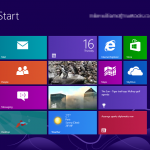
If you’re still using Windows 8 it’s now time to upgrade because that operating system is about to get a whole lot less secure.
From today, January 12 2016, Microsoft will stop issuing security patches for its 3-year-old tiled OS, which will mean users will no longer be safe from newer threats.
How to fix error 0xc0000017 when installing Windows 10

While I've been running Windows 10 for what seems like forever now, a desktop computer sitting in my office running Windows 8.1 has been crying out for an upgrade for some time. Having had a problem-free upgrade on three other machines, I expected nothing out of the ordinary with this computer. I was wrong.
Initially I left Windows Update to do its thing, but this failed on countless occasions. The error message suggested that a problem with my internet connection had interrupted the download, but this seemed unlikely. After numerous attempts, I decided to opt for a USB-driven installation. This also failed, this time with error 0xc0000017: "There isn't enough memory available to create a ramdisk device". Thankfully, the problem can be fixed -- here's what you need to do.
Microsoft wants you to upgrade to Windows 10... whether you like it or not

Microsoft managed to piss off a lot of people with Windows 10. Some people love it, but certainly nowhere near 100 percent of the install base (whatever size Microsoft claims this may be). It's possible for any operating system to be disappointing, but what Microsoft has managed to get wrong with Windows 10 -- time and time and time again -- is the way upgrades have been delivered.
We've had stories of installation files being downloaded without permission. There are the privacy concerns. There is the confusing installation process that has misled some into upgrading to Windows 10. But even after weeks and months of complaints, the forced Windows 10 upgrades are still happening. If anything, the problem is getting worse. Microsoft is making it harder and harder for Windows 7 and Windows 8 users to avoid Windows 10. A coerced user is not a happy user, yet Microsoft continues to force Windows 10 down people's throats in a number of ways. WT actual F?
How to enable Potentially Unwanted Application protection in Windows 8 and Windows 10

Enterprise users are always looking for ways to protect their systems, and Microsoft recently unveiled a new opt-in feature to protect against Potentially Unwanted Applications (PUA). PUA is a broad term that covers everything from adware to browser extensions, and users of Windows 8 and Windows 10 can enable the feature to block such nasties at a download level.
PUAs are described by Microsoft as "a threat classification based on reputation and research-driven identification", and includes unwanted components bundled with legitimate software. Venture into the registry, and a tweak can be used to enable protection against such unwanted elements.
Recent Headlines
© 1998-2024 BetaNews, Inc. All Rights Reserved. Privacy Policy - Cookie Policy.